3–Names and Functions of Parts
TASCAM DP-004 33
The volume adjustment dial is small and does not have
any indications. Before turning the power ON, always
turn it in the direction of the arrow until it stops to
minimize the volume. Sudden bursts of loud sounds
can cause hearing damage and speaker damage, for
example.
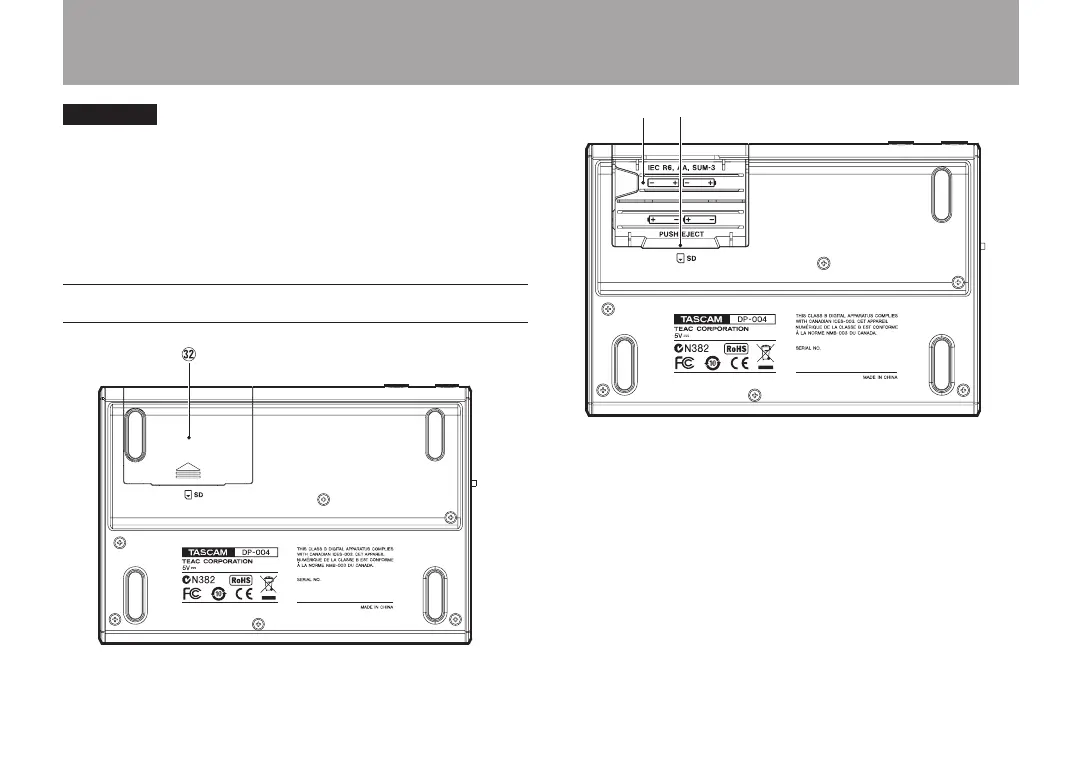
Bottom
x Battery cover
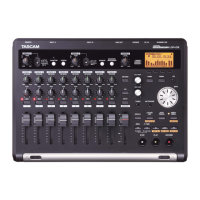
c Battery compartment
The batteries (four AA) that power the unit are
inserted here.
The SD card slot is in the back of the compartment.
v SD card slot
Insert the SD card into the slot.


 To Next Page