48 TASCAM DP-004
5–Song Management
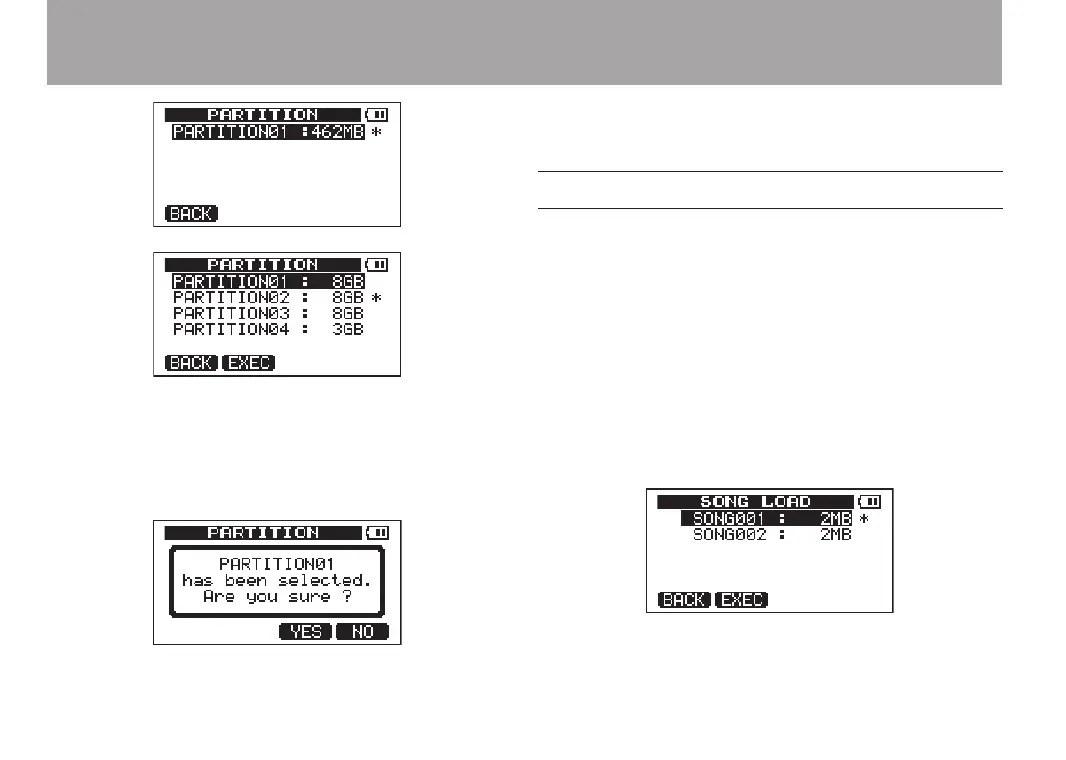
SD card with one partition
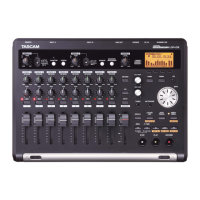
SD card with multiple partitions
An asterisk (Ú) shows the active partition. The sizes
of the partitions are shown (not available space).
4 Rotate the DATA wheel to select the partition and
press F2 (
EXEC
). A confirmation message appears.
5 Press F3 (
YES
) to select. The unit saves the current
song before changing partitions. It then loads the
last used song on that partition.
Loading a saved song
Follow these procedures to load a song from the
active partition.
1 With the transport stopped and the Home Screen
open, press the MENU key to open the
MENU
screen.
2 Use the DATA wheel to select
SONG
and press F4 (¥)
to open the
SONG
menu screen.
3 Use the DATA wheel to select
LOAD
and press F4 (¥)
to open the
SONG LOAD
screen. A list of the songs on
the active partition appears with an asterisk (Ú)
next to the current song.
4 Use the DATA wheel keys to select the song to load
and press F2 (
EXEC
). The current song is saved, and
the selected song is loaded.


 To Next Page