4–Preparations
TASCAM DP-004 35
Do not remove the card or batteries when the unit
is turned on. Failure to power off properly first will
cause and recordings and settings made since the last
power off and song save to be lost. This data cannot
be recovered.
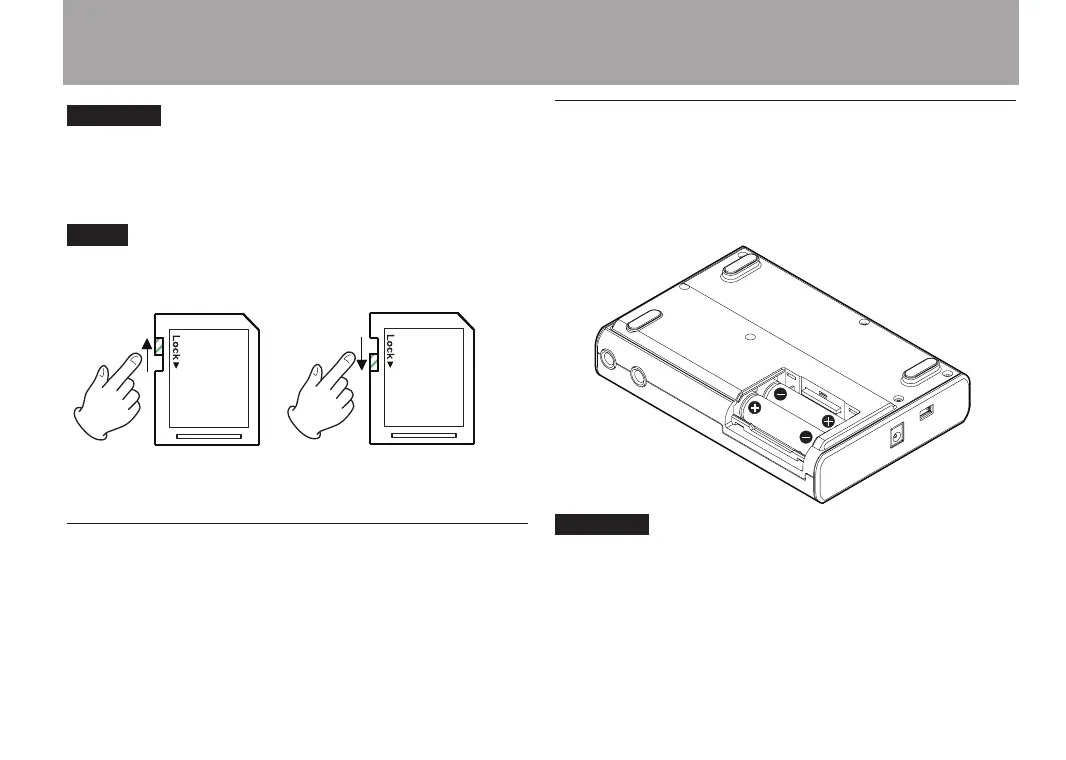
If a protected SD card is inserted, playback is possible,
but you will not be able to record or edit files.
Preparing the power
This unit can be powered either by AA batteries or a
power adapter (sold separately). Alkaline or NiMH
batteries can be used with this unit.
Installing batteries
Open the battery compartment on the bottom of
the unit as described in the previous “Installing an
SD card” section. Insert 4 AA batteries in the box
according to the + and - indications.
The included alkaline batteries are for confirming the
operation of the unit and might not last very long.


 To Next Page