74 TASCAM DP-004
7–Recorder Functions
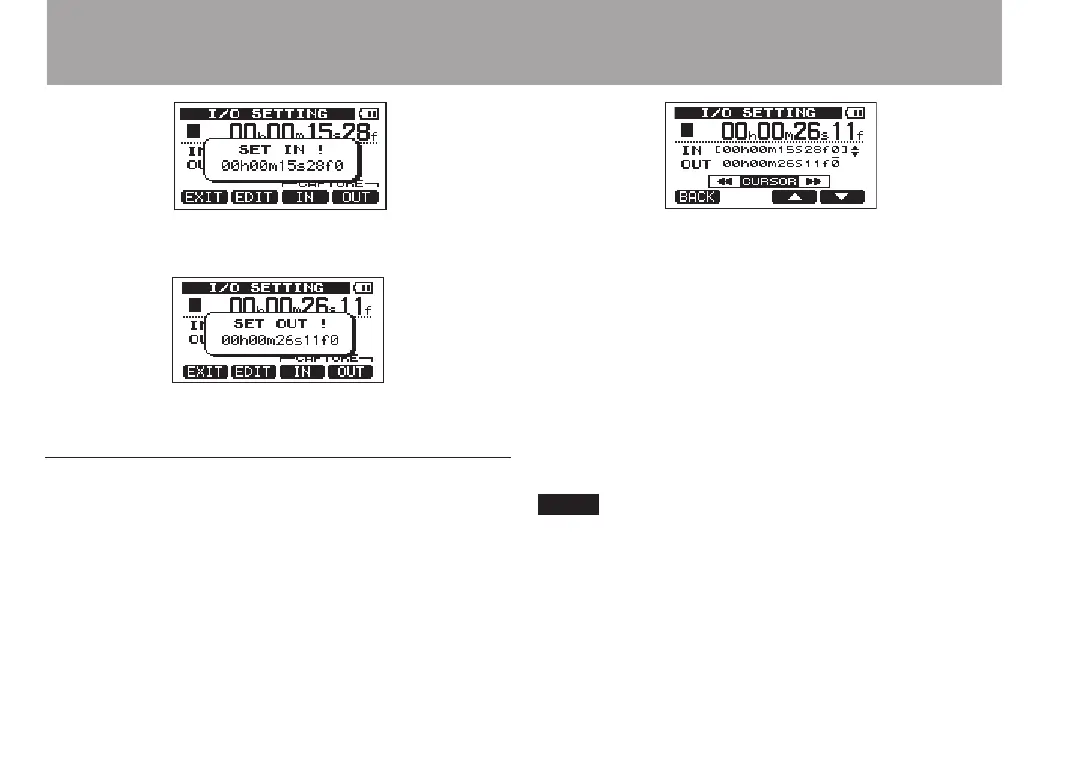
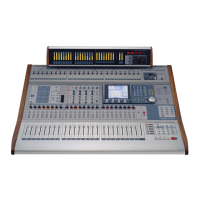
SET IN
SET OUT
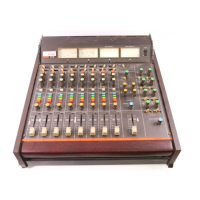
Editing IN/OUT points
1 When the
I/O SETTING
screen is open (see the first
screen figure in the previous section), press the F2
(
E DIT
) key to open the edit screen.
2 Edit the values of IN and OUT points using the
following guidelines.
Use the
•
F3 (§) and F4 (¶) keys to move the cursor
(underline) between the IN and OUT points.
Use the
•
Ô/
keys to move the cursor
(underline) between time fields.
Turn the
•
DATA wheel to change the value at the
cursor (underline) position.
3 When finished editing, press the HOME key to
return to the Home Screen.
In the following cases, IN and OUT points cannot be
captured or edited.
During repeat playback •
When the recorder mode is MASTER REC or •
MASTER PLAY


 To Next Page