22
TASCAM DR-60D
2 – Names and functions of parts
x USB port
Use the included USB cable to connect with a computer USB
port. (See “9 – Connecting with a computer” on page 82.)
Power can be supplied through the USB cable provided with the
unit or an AC adaptor (sold separately: TASCAM PS-P515U).
CAUTION
Always connect the recorder directly to a computer. Do not use a
USB hub.
c PHONES volume control
Use to adjust the volume output from the PHONES jack.
v PHONES jack (φ3.5mm stereo mini jack)
Connect stereo headphones to this stereo mini jack.
Use the PHONES control to adjust the volume.
CAUTION
Before connecting headphones, lower the PHONES volume to
the minimum level. Failure to do so could result in a sudden loud
noise that could harm hearing, for example.
b LINE OUT volume control
Use to adjust the volume output from the LINE OUT jack.
n LINE OUT jack (φ3.5mm stereo mini jack)
Use this to connect with the line input jack of an amp or other
equipment.
Use the LINE OUT control to adjust the volume.
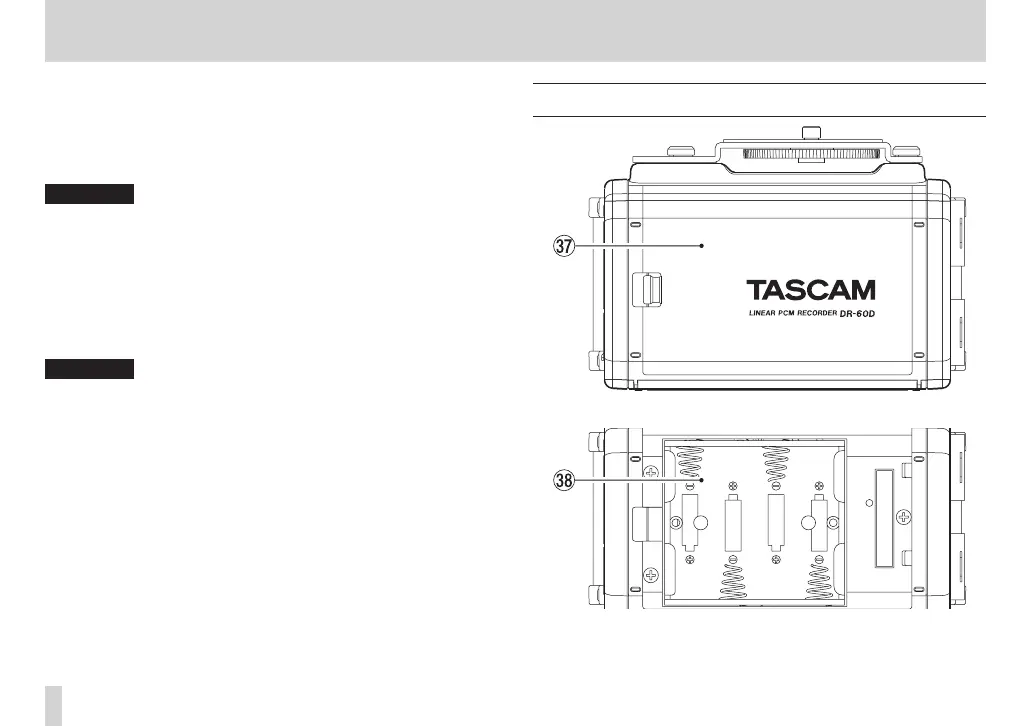
Rear panel
m Battery compartment cover
, Battery compartment
Install batteries (4 AA batteries) in this compartment to power
the unit. (See “Using AA batteries” on page 32.)



 To Next Page