38
TASCAM DR-60D
3 – Preparation
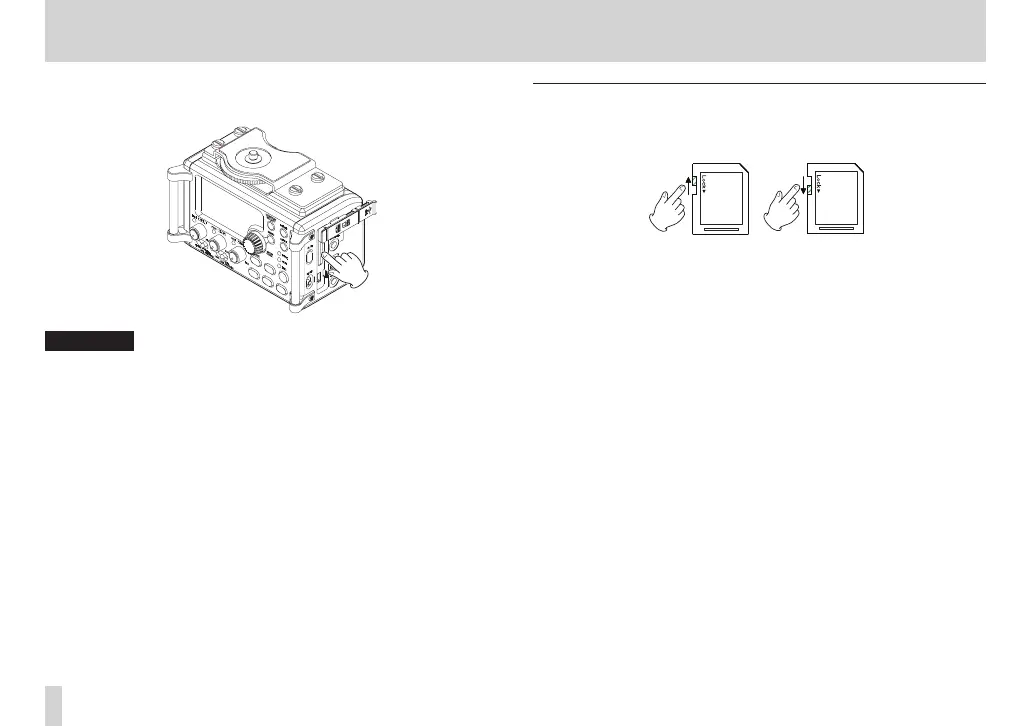
2. Press the SD card in gently and then release it to allow it to
come out.
CAUTION
•
Do not remove the SD card from the unit during recording,
playback or at other times when it is being accessed.
•
Do not remove the SD card from the unit when it is connected to
a computer by USB.
•
SD cards that meet SD or SDHC standards can be used with this
unit.
•
A list of SD cards that have been confirmed to work with this unit
can be found on our website (http://tascam.com/).
SD card write protection switches
SD cards have protect switches that prevent writing new data to
them.
If you slide the protect switch to the LOCK position, file recording
and editing is not possible. Move the switch to the unlocked
position in order to record, erase and otherwise edit data on the
card.



 To Next Page