50
TASCAM DR-60D
4 – Recording
Recording (MONO/STEREO recording)
Make recording settings
1. Press the MENU button to open the
MENU
screen.
2. Turn the DATA dial to select
REC MODE
, and press the DATA dial
or / button to open the
REC MODE
screen.
3. Turn the DATA dial to select
REC MODE
, and press the DATA dial
or / button.
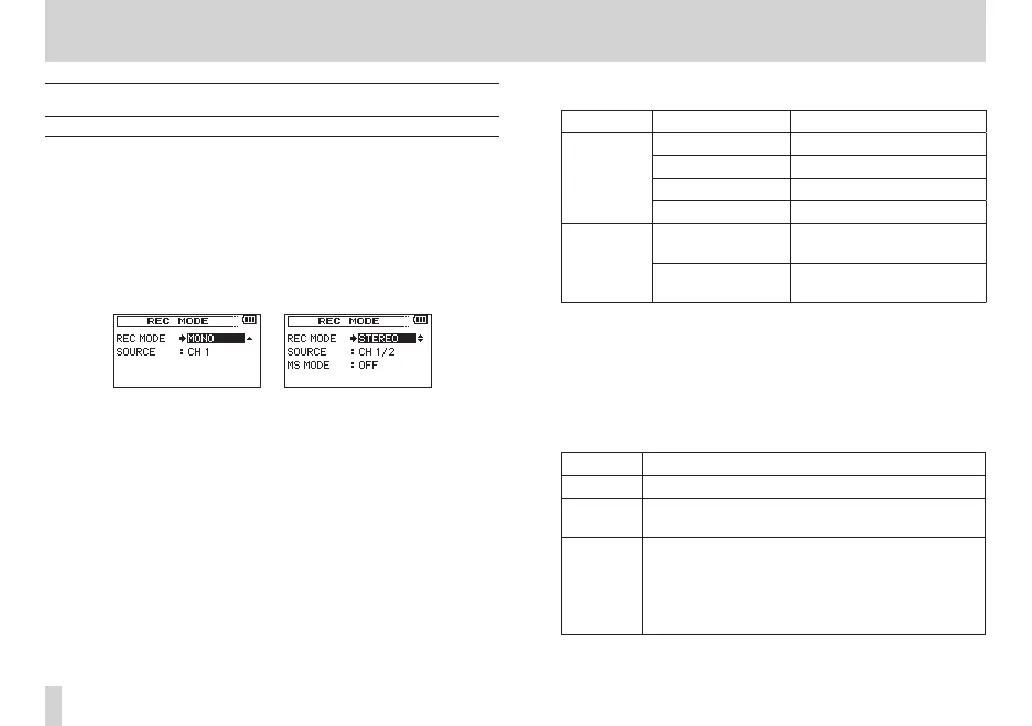
4. Turn the DATA dial to set it to
MONO
or
STEREO
(default value:
STEREO
).
mono recording stereo recording
5. Press the DATA dial or . button to select the other item.
6. Turn the DATA dial to select
SOURCE
, and press the DATA dial or
/ button.
7. Turn the DATA dial to select the input source.
REC MODE SOURCE (options) Explanation
MONO
CH1 Channel 1 mono recording
CH2 Channel 2 mono recording
CH3 Channel 3 mono recording
CH4 Channel 4 mono recording
STEREO
CH1/2
Channel 1 and 2 stereo
recording
CH3/4
Channel 3 and 4 stereo
recording
8. Press the DATA dial or . button to select the other item.
9. If
REC MODE
is set to
STEREO
, you can also set MS mic
decoding.
To use a mid-side mic, turn the DATA dial to select
MS MODE
,
and press the DATA dial or / button.
10. Turn the DATA dial to set the decoding mode when using a
mid-side mic.
Options Explanation
OFF Record in ordinary stereo mode.
REC
Use to decode while recording. Playback is
conducted without decoding.
MONITOR
Record mid-side mic output without decoding for
decoding later. Use this mode to monitor when
recording with a mid-side mic.
Use this also when playing back mid-side files that
were recorded without decoding.
11. When finished making the setting, press the stop (8) [HOME]
button to return to the Home Screen.



 To Next Page