TASCAM DR-60D
67
5 – Working with Files and Folders (BROWSE screen)
CANCEL
The operation for the selected (highlighted) file is canceled, and
The quick menu is closed.
NOTE
The quick menu can also be closed by pressing the QUICK button.
Creating a new folder
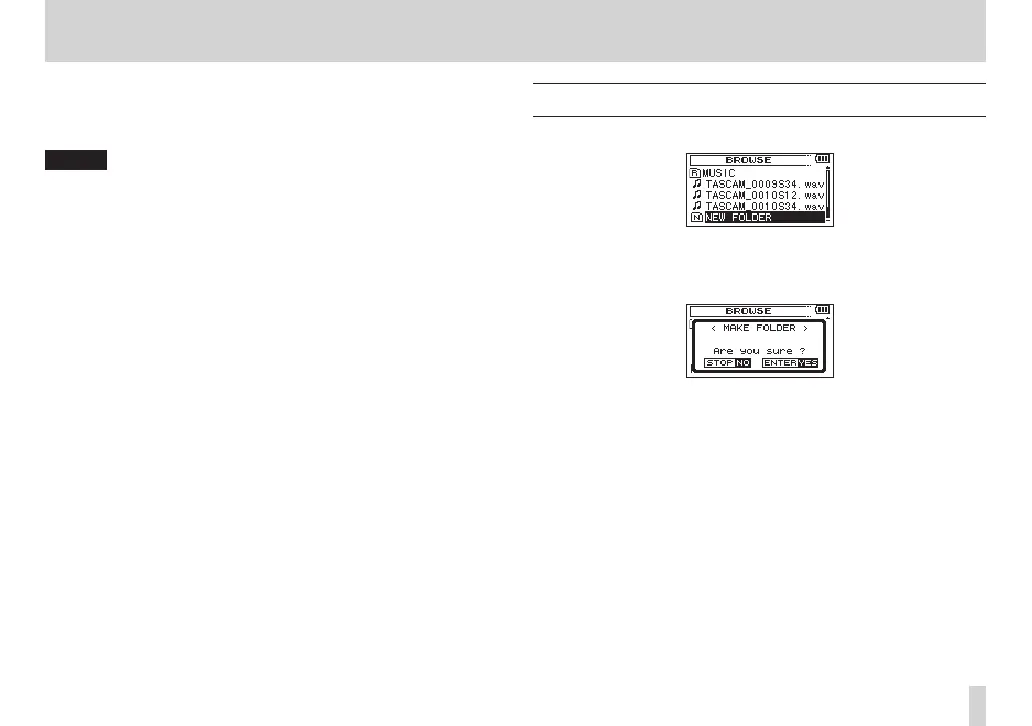
In the file list,
NEW FOLDER
appears at the bottom.
Select (highlight)
NEW FOLDER
, and press the DATA dial or /
button. A pop-up appears to confirm that you want to create a new
folder.
Press the DATA dial to create a new folder or press the stop (8)
[HOME] button to cancel.
Note that the unit supports only a two-level folder structure, and
accordingly NEW FOLDER does not exist in the second-level folders.
A newly created folder becomes the current one, and new recorded
files are saved in this folder. If the playback area has been set to
FOLDER, this folder becomes the playback area.



 To Next Page