68
TASCAM DR-60D
6 – Playback
On the Home Screen, you can use the . and / buttons to
select the playback file. The files that you can select are determined
by the playback area setting.
Limiting the playback area makes file selection easier when you
have numerous recorded and copied files on the SD card.
On the
PLAY SETTING
screen, you can set the play area to ALL
FILES on the SD card or the current FOLDER. You can also use the
BROWSE
Screen to set a folder as the playback area.
NOTE
On the
BROWSE
Screen, regardless of the playback area setting,
you can select any file on the SD card that you want.
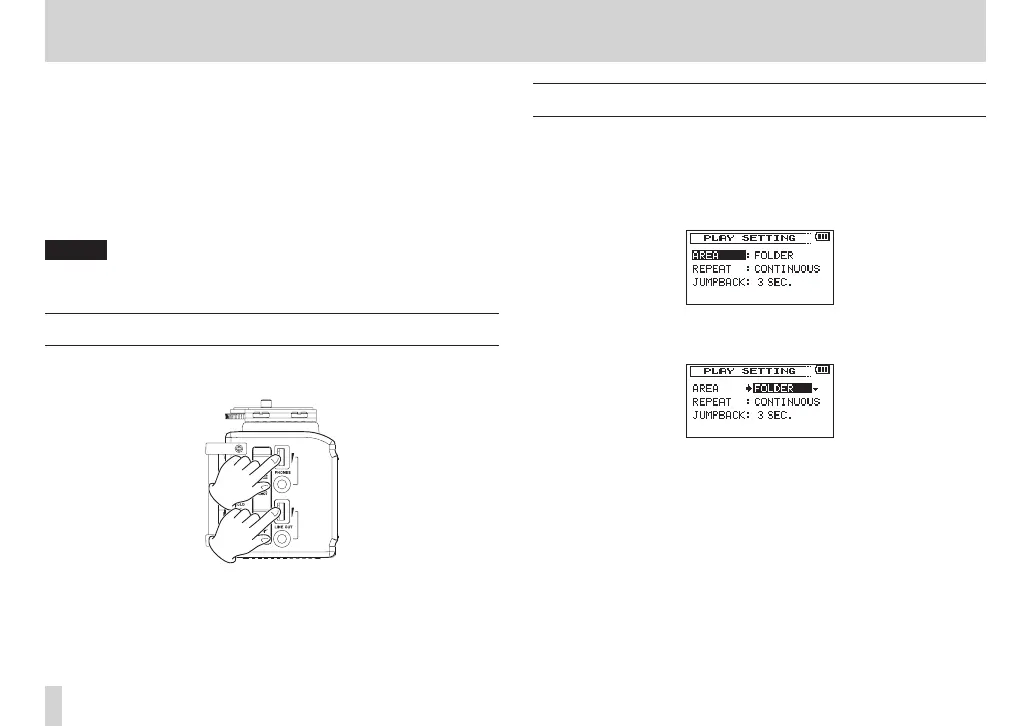
Adjusting playback volume
Use the PHONES and LINE OUT volume controls to adjust the levels
output from the PHONES and LINE OUT jacks.
Setting the playback area (AREA)
Set the playback area for repeat and ordinary playback on the
PLAY
SETTING
screen.
1. Press the MENU button to open the
MENU
screen.
2. Turn the DATA dial to select
PLAY SETTING
, and press the
DATA dial or / button to open the
PLAY SETTING
screen.
3. Turn the DATA dial to select
AREA
, and press the DATA dial or
/ button.
4. Turn the DATA dial to set the playback area.
ALL FILES:
Set the playback area as all files in the Music Folder on the SD
card.
FOLDER (default value):
Set the playback area as all the files in the currently selected
folder.



 To Next Page