TASCAM DR-60D
75
7 – QUICK button operations
Closing the quick menu
Press the QUICK button to close the quick menu pop-up window.
Deleting the selected file (Quick Delete)
The currently selected file can be deleted without using the BROWSE
screen.
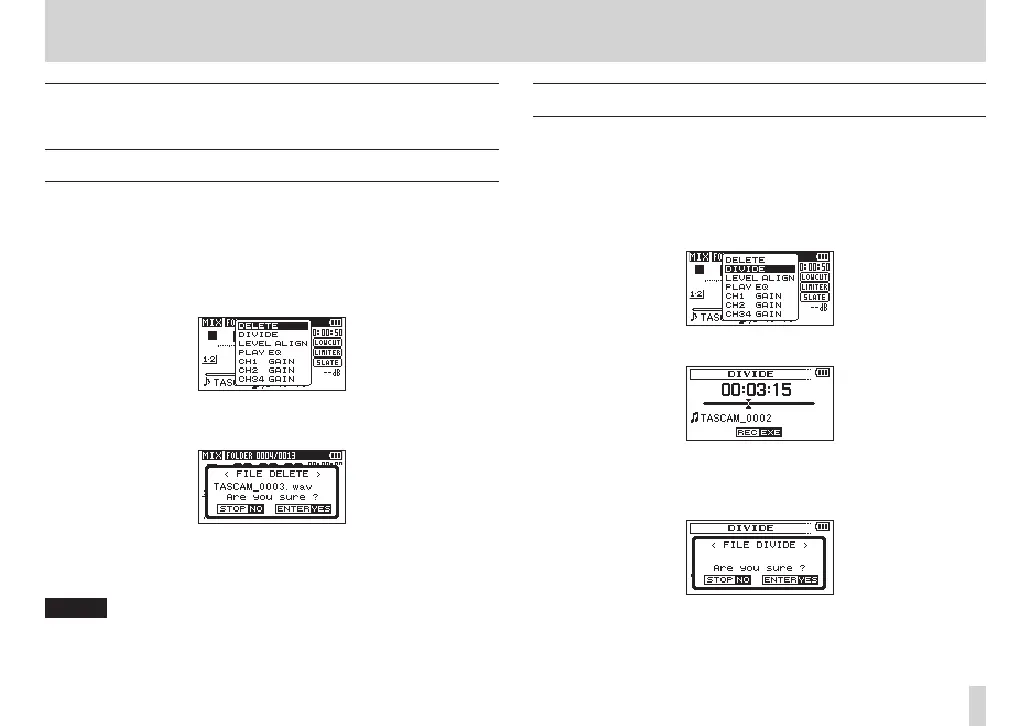
1. To delete a file, select it using the . or / button.
2. Open the Quick menu screen by pressing the QUICK button
while the Home Screen is open when stopped.
3. Turn the DATA dial to select
DELETE
.
4. Push the DATA dial to open a pop-up message confirming
deletion of the file.
5. Push the DATA dial to delete the file and return to the Home
Screen. Push the stop (8) [HOME] button to cancel deletion
and return to the Home Screen.
NOTE
If the currently selected file was recorded using dual-recording or
four-channel recording, both files recorded at that time will be
deleted.
Dividing the selected file (DIVIDE)
A recorded file can be divided into two at a specified position.
1. Select a file to be divided using the . or / button or the
BROWSE
screen.
2. While the Home Screen is open when stopped, press the QUICK
button to show the Quick menu screen.
3. Turn the DATA dial to select
DIVIDE
.
4. Press the DATA dial to open the
DIVIDE
screen.
5. Turn the DATA dial to set the position for file division, and press
the record (0) button.
The following confirmation pop-up message appears.



 To Next Page