TASCAM DR-60D
25
2 – Names and functions of parts
6 Power supply status
When a battery is being used, a battery icon shows the amount
of power remaining in bars (“ ”, “ ”, “ ”).
The battery is almost dead and the power will soon turn off
(standby) if the icon has no bars “ ”.
When using the PS-P515U AC adaptor (sold separately) or USB
bus power, “ ” appears.
NOTE
Sometimes a
Battery Low
warning appears when recording
or conducting other demanding operations even when battery
power remains.
7 Recorder operation status
This icon shows the recorder operation status.
Indicator Meaning
8
Stopped
9
Paused
7
Playing back
,
Fast-forwarding
m
Fast-rewinding
/
Skipping forward
.
Skipping backward
8 Level meter
These show the levels of the input playback signals.
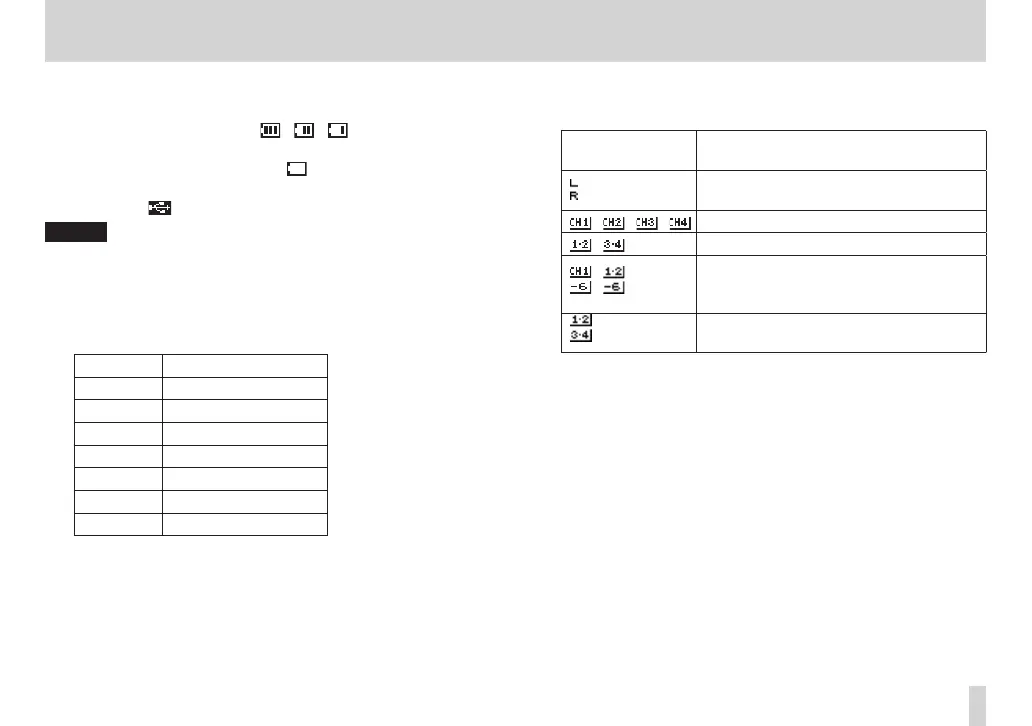
9 Track status display
This icon changes according to the recording mode.
Indicators
(examples)
Meaning
Playing a file recorded in MONO or
STEREO mode
/ / / Monitoring in MONO mode
/ Monitoring in STEREO mode
/
Playing a file recorded in DUAL MONO
or DUAL ST mode or monitoring in these
modes
Playing a file recorded in 4CH mode or
monitoring in this mode
0 Playback position display
The current playback position is shown by a bar. As playback
progresses, the bar extends to the right.
q File name
This shows the name of the file playing back unless there are
multiple files recorded in 4-channel recording mode or dual
recording mode. In these cases, it shows the project name.
w Remaining time
This shows the remaining time (hours: minutes: seconds) of the
current file.



 To Next Page