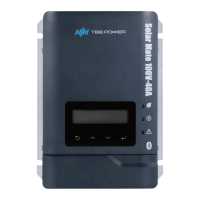
MPPT charge controller User Manual
4. Configuration
4.1 Check Before Operation
Please check before Operation according to the following.
Solar Mate MPPT charge controller is installed correctly and steady.
Reasonable cable layout to meet customer requirements.
Make sure the grounding is reliable.
Make sure the ground wire is properly connected and firm and reliable.
Double check the battery breaker and PV array breaker is OFF.
Make sure the cables are properly connected and firm and reliable.
Reasonable installation space, clean and tidy environment, no construction residue.
4.2 Power ON Test
Make sure the battery voltage and PV array voltage are within the permissible range
before breaker turn ON.
Please step by step as following instructions.
Step 1: Turn on the circuit breaker between the PV array and the MPPT charger.
Step 2: Turn on the circuit breaker between the battery and the MPPT charger.
Step 3: Set the parameters step by step according to the setup wizard.
Step 4: Insert the 2P phoenix terminal in the attachment package into the Input Dry interface of
the MPPT charger.
Step 5: Observe the LED light to make sure the MPPT charger is running normally. (refer
toTab2-2 LED directive function)


 To Next Page