Energier Apollo User Manual
25
Pull through VS cable through communication gland and connect it on port marked “VS+”&“VS-”
with the positive of voltage sensor connecting on “VS+” and the minus of voltage sensor connecting
on “VS-”.See section 3.2 wiring area description.
The minus (-) of voltage sensor should be connected to the minus (-) of service battery, and the
positive (+) of voltage sensor should be connected to the positive (+) of service battery. Wrong
connection will damage Energier Apollo. Please secure the sensor on battery terminal.
4.7.4 Battery Voltage Sensor (VS)
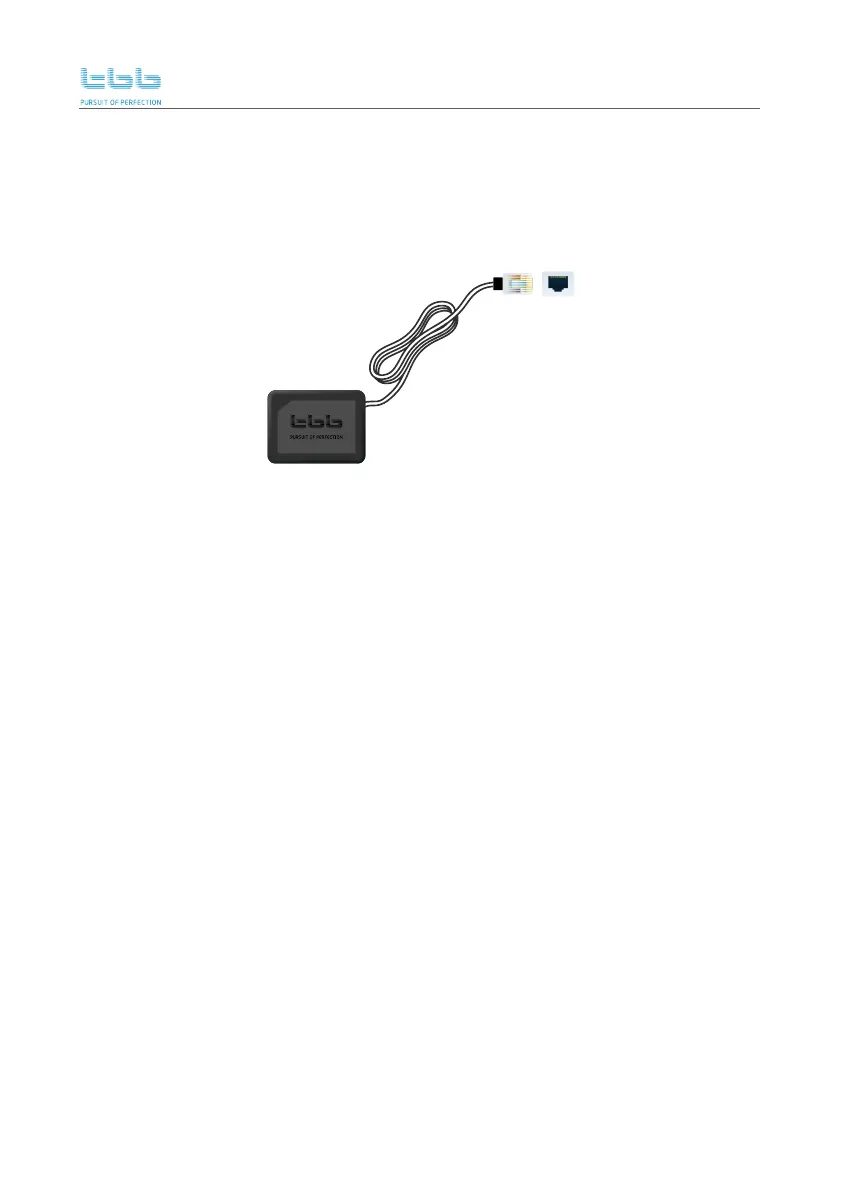
4.7.3 Battery Temperature Sensor (BTS)
Battery Temperature Sensor
BTS
Pull BTS cable through communication gland and connect it on socket marked “BTS” interface.
See section 3.2 wiring area description.
Please glue the temperature sensor, which is plugged into BTS socket at service panel, on the
SIDE of battery and secure the attachment.



 To Next Page
 Loading...