Operation
Status display
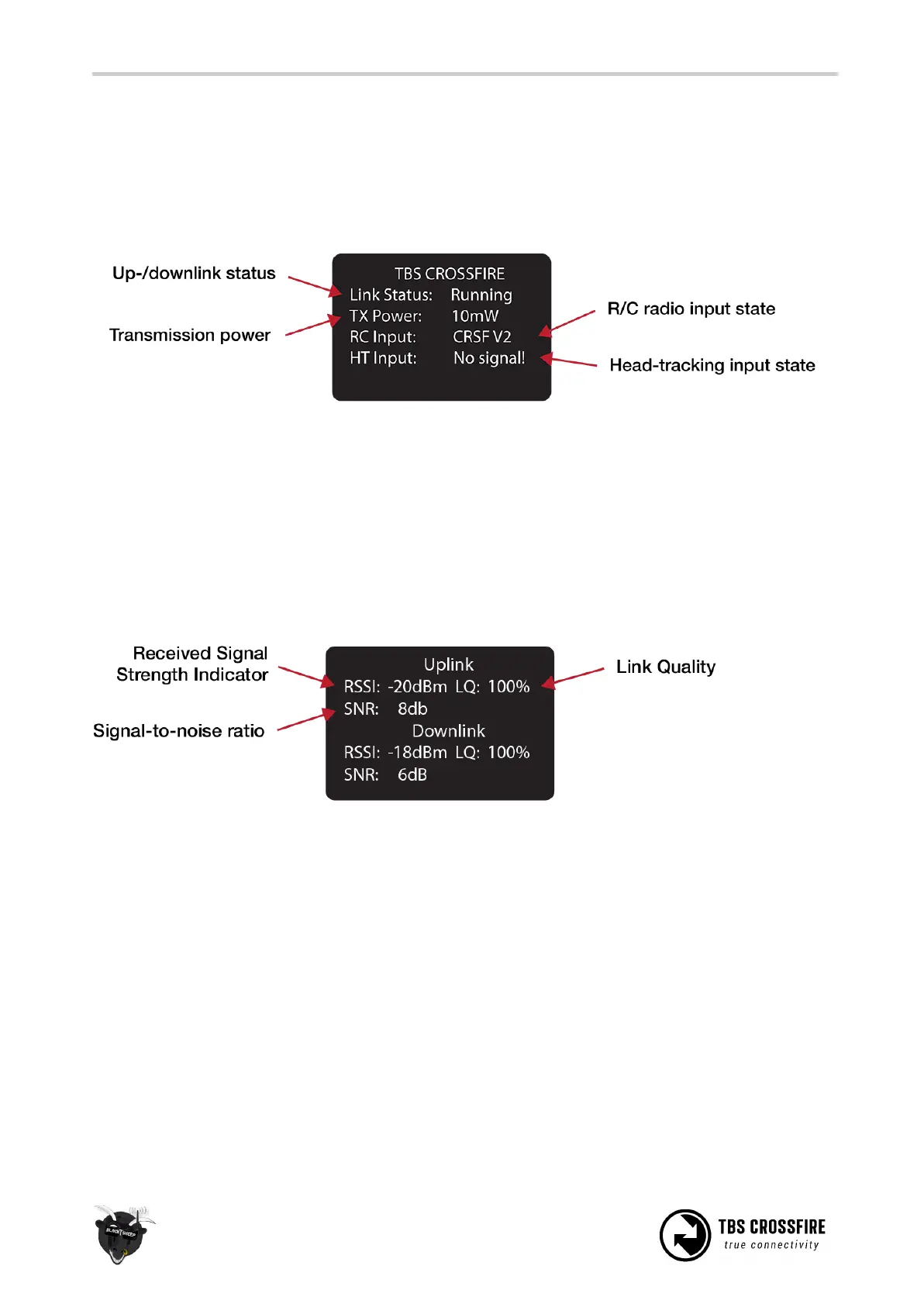
After power-on, the main screen shows the current state of the transmitter, i.e. link status, transmission
power, R/C- and head-tracking input signal state.
● Link Status - State of the wireless link [Connecting, Running]
● TX Power - Output transmission power [10mW, 25mW, 100mW, 500mW, 1W, 2W]
● RC Input - Radio R/C PPM signal input status [No signal, PPM, CRSF V1/V2]
● HT Input - Head-tracking PPM signal input status[No signal, Signal OK]
Up- and downlink status
Toggle the joystick to the right to show the status of the up- and downlink.
● RSSI - Received signal strength indicator, measurement of the power present in a received radio
signal [typ. -1dBm (good) to -130dBm (bad), logarithmic scale]
● LQ - Link Quality, based on the percentage of signal data received at the end-point [0 to 300%]
● SNR - Signal-to-noise ratio, compares the level of a desired signal to the level of background noise
The RSSI determines your available link budget on a logarithmic scale, with each additional -6dBm
representing twice the range of your current distance. E.g. you are at 5km range with a RSSI of -84dBm. At
a range of 10km you are expected to see a -90dBm RSSI. The receiver is capable of receiving signals up to
-130dBm. The SNR plots your current RSSI against the noise floor, giving you a rough indication of the
remaining range in real-time. The CROSSFIRE can receive signals down to about -12dB SNR, way below the
noise floor.



 To Next Page