CROSSFIRE runs different RF Profiles at time. For a better understanding which RF profile is active we
assume 50Hz update rate as 100%. This will give you up to 300% LQ for operation mode normal and up to
100% LQ for force telemetry. Any LQ above 80% is fine. LQ at 50% you can still comfortably fly a
gimbal-quad in ATTI or GPS mode since there is still a certain amount of valid data reaching the flight
controller.
Note: Since firmware V2.30 the OpenTX telemetry sensor and the LQ on the the receiver channel map are
scaled from 0-100%. While the CROSSFIRE is in 150 Hz mode, the LQ will stay at 100%. When the system
switches to the 50 Hz Long-range-mode, the LQ sensor can start to drop.
Find mode
The Find-mode provides you with a way to locate a downed aircraft. A GPS signal is currently required to
use this mode (other detection modes are being developed). Install our TBS GPS module or any other gps,
connected to a flight controller (APM, INav, BetaFlight - CRFSF or MavLink connection required) to the
BST-port on side of the receiver.
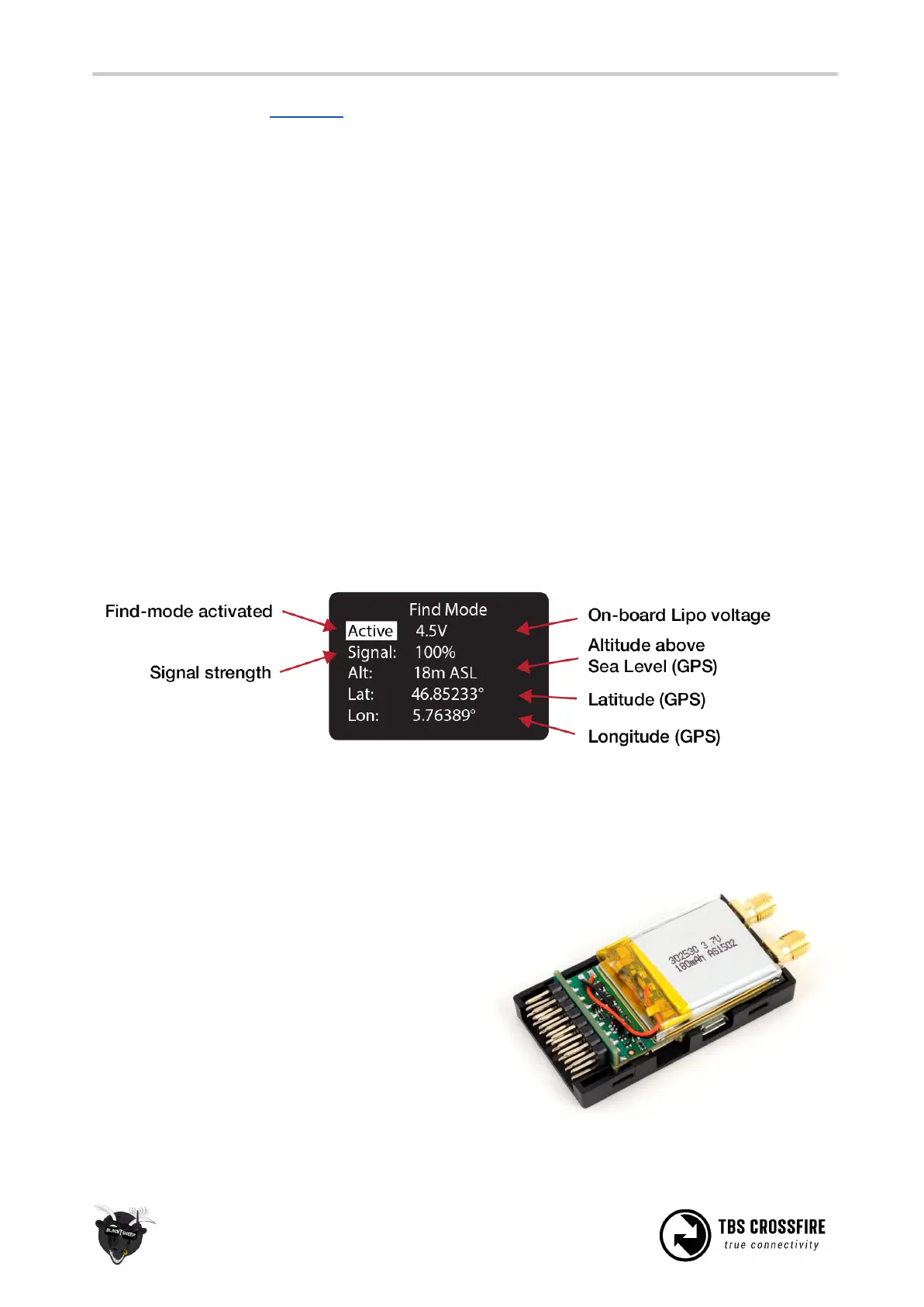
In normal use the GPS coordinates are continuously updated and the latest data is displayed on the “Find
Mode” screen. If the model loses power you can review the last known coordinates to locate your model.
● Inactive (Press Enter) / Active - Enable/disable the Find-mode, shows on-board LiPo voltage
Do NOT enable during flight!
● Signal - Receiver signal strength, makes it possible to triangulate the location [0 to 100%]
● Alt - Altitude above Sea Level, GPS required [0 to 5000m]
● Lat - Latitude, GPS required
● Lat - Longitude, GPS required
The receiver has an on-board LiPo battery to operate in
beacon-mode. This allows the transmitter to send the
last known GPS coordinates to the display on the
transmitter, after certain trigger events have
happened. See the operation flow diagram attached on
the following page.
Direction finder



 To Next Page