Dynamic transmission power
The system can automatically choose the power level most suitable for the situation at hand. For instance,
if you fly close to the transmitter you normally only require minimal TX power and the system will
therefore switch to lowest possible TX power level required to maintain a good up-link.
The maximum TX power level the system is allowed to use, can be defined by changing “Max Power” in the
configuration menu.
To enable dynamic power:
1. Enter the configuration menu, select “General” and “Dyn. Power”
2. Toggle “Off” to “On” by pressing Down, exit the menu to apply the change
3. The current dynamic TX power level is displayed in the main display (standard TX) or as sensor in
OpenTX
Transmission frequency
CC Wikipedia
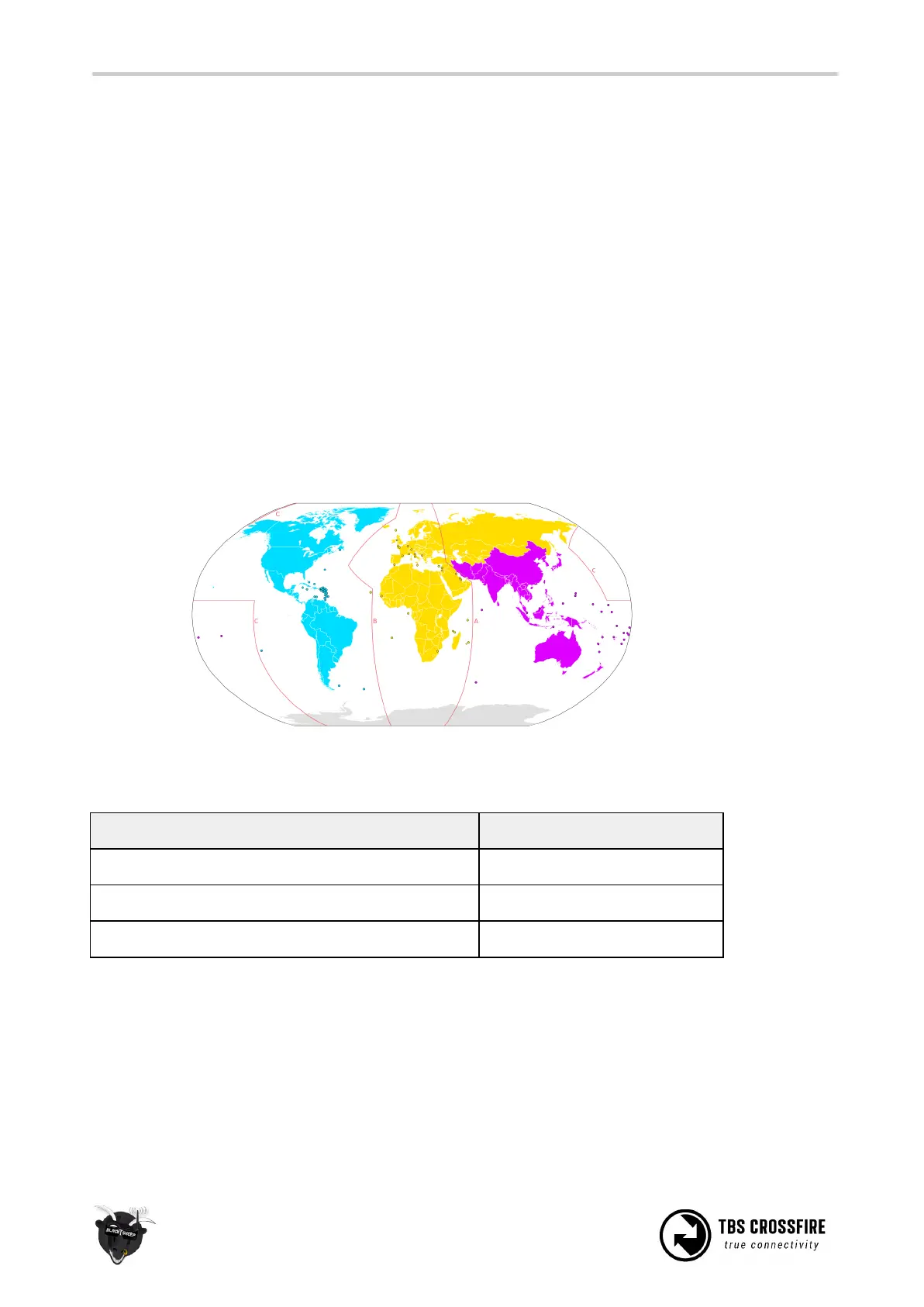
The TBS CROSSFIRE supports two different frequency bands, depending on your local regulation..
Below is a general overview of the primary frequency segmentation.
To change frequency band:
1. Power up both the transmitter and receiver
2. Enter the configuration menu, select “General” and “Frequency”
3. Pick one of the available frequencies depending on your locale
The frequency change is instant, and affects transmitter and receiver. It can even be changed in-flight if
necessary. If you change the frequency or region setting without the receiver powerd up and bound to the



 To Next Page