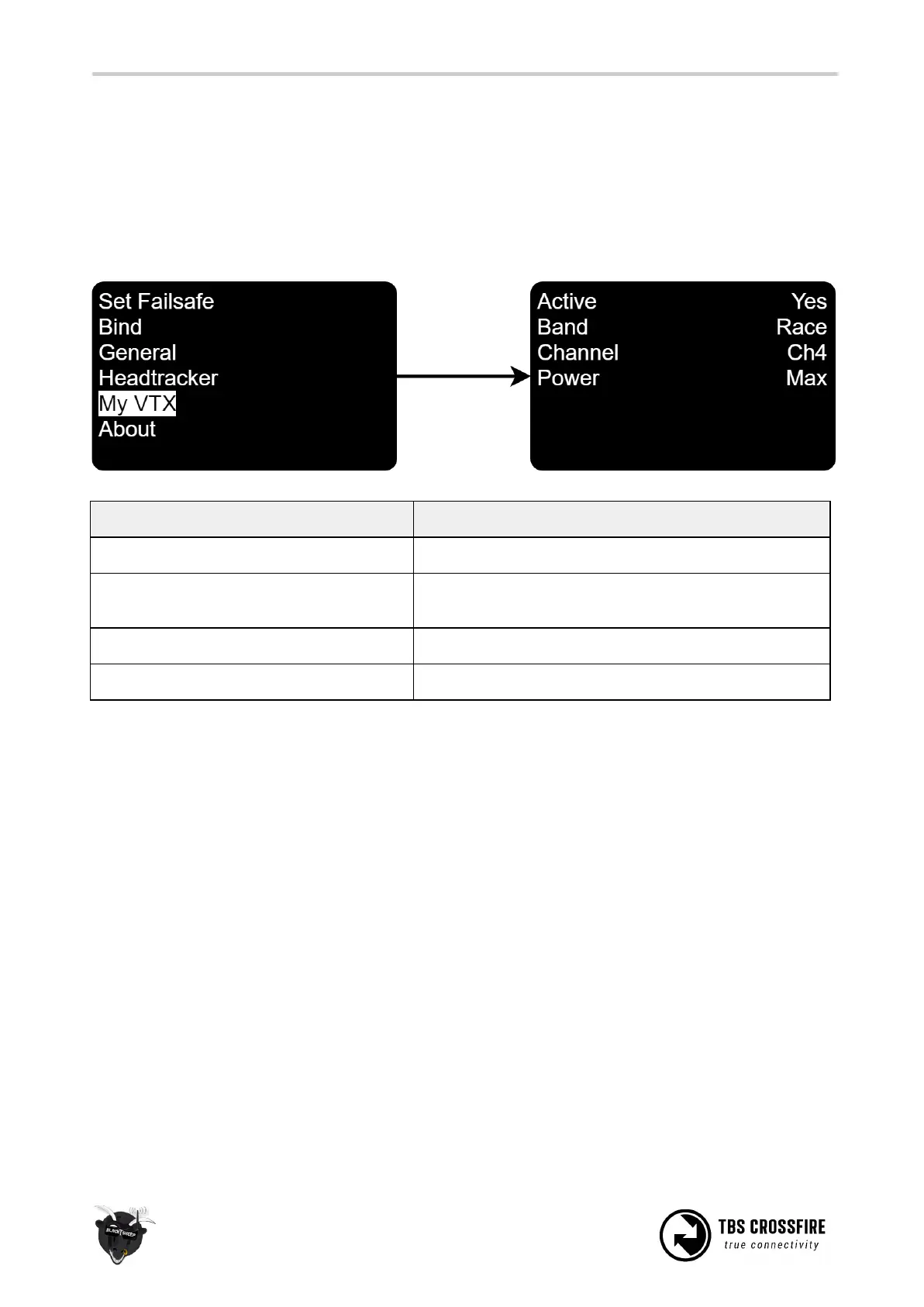
MyVTX
With the new MyVTX menu you can set all your vtx’s to the same channel, band and output power.
To use the MyVTX settings, update your TBS Crossfire to FW 3.21. Connect your vtx to the crossfire receiver
by CRSF or Smart Audio (details in the previous chapters). Now you get a new menu in the TBS CROSSFIRE
TX Menu:
activate/ deactivate the global vtx settings
Band settings, Race/ Low/ A/ B/ E/ Airwave/ User
Frequency
Vtx power level, 25/ 100/ 400/ max mW
Note: This setting will override all your vtx settings like Pitmode, power level etc, till you disable them.
Then the VTx will revert back to the last used settings.



 To Next Page