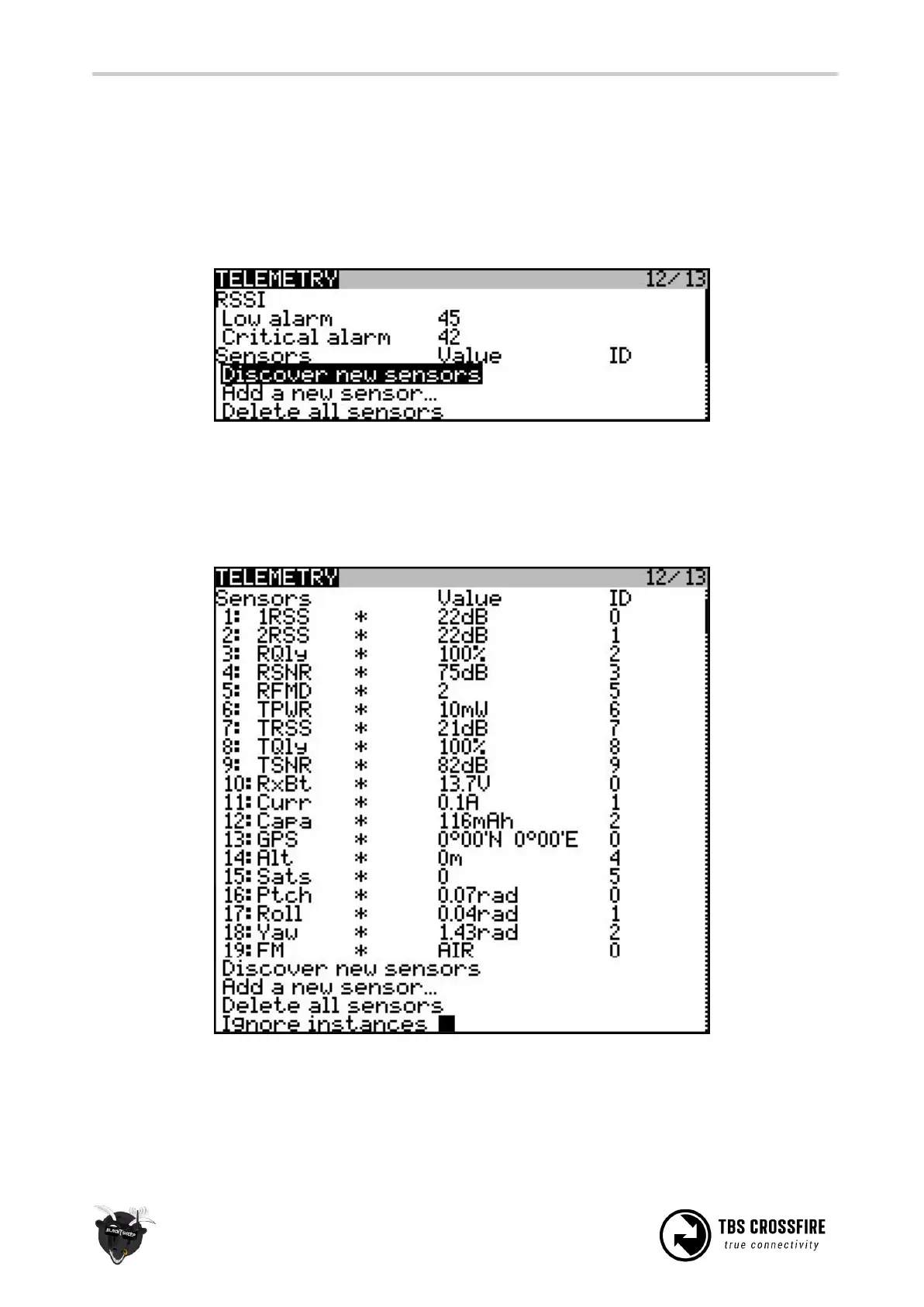
Discovering telemetry data sensors
To get the new telemetry data running and showing on the radio, you have to update and discover the new
remote sensors available.
On taranis, select the model and go to the “Telemetry” page. Delete all the old sensors, if any, and hit
“Discover new sensors”.
Momentarily, the new (four character) sensors will populate the list, f.ex. CROSSFIRE downlink/uplink stats,
altitude, GPS position, battery voltage, current draw, current consumption, FC pitch, FC roll, FC yaw, and
more. The availables sensors depend on the auxiliary sensors you may have connected, e.g. TBS GPS, TBS
Current sensor/TBS POWERCUBE and/or CRSF flight controller.
No Sensors found
If you are having problems with discovering more than just a few or any sensor you need to uncheck the
“Ignore Instances” option below the sensor list and rediscover the Sensors.



 To Next Page