Configuration of CORE PRO / CROSSFIRE RX with LUA Scripts
or the TBS TANGO
The CROSSFIRE allows bidirectional communication, that means the radio display interface (currently only
OpenTX radios supported) can used to remotely configure any TBS device (currently CROSSFIRE, CORE
PRO) over the BST connection.
Requirements
The following requirements must be fulfilled to be able to use this feature:
• Any OpenTX radio (any Taranis, Horus) with OpenTX 2.2.x or higher
○ Nightly builds provided in the “News” section at http://www.open-tx.org/
• TBS CROSSFIRE LUA script package on root of SD card
○ Currently provided at https://downloads.open-tx.org/2.2/sdcard/
• TBS CROSSFIRE TX/RX V1.62 or higher
• TBS CORE PRO/FPVision V1.70 or higher
• TBS CORE PRO with SmartAudio (purchased after 07/2015) - for UNIFY PRO control
Setup
Connect the devices as normal via BST cables and the fc by CRSF and make sure the CROSSFIRE radio link
is up and running.
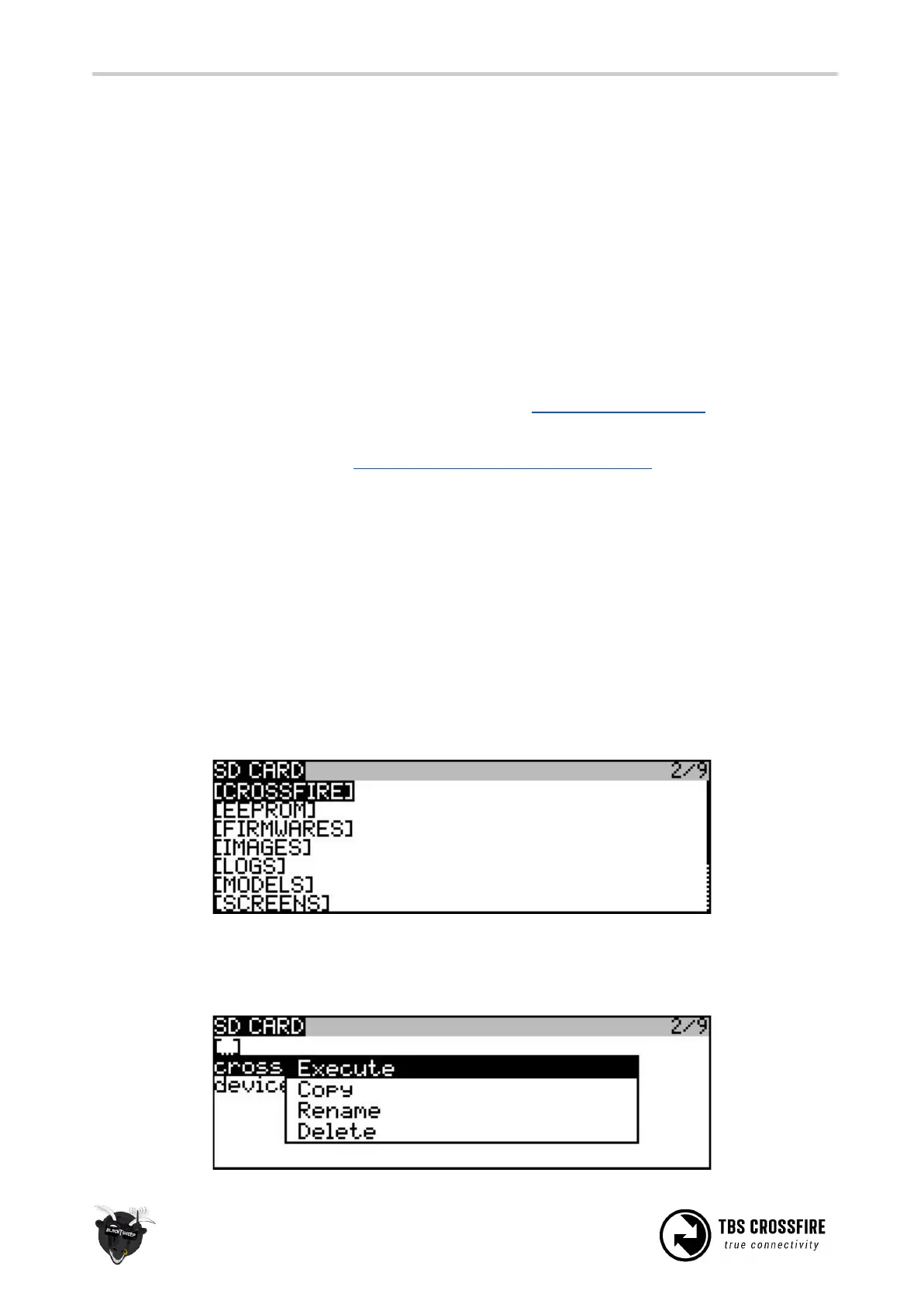
On the radio, press and hold the “Menu” button to bring up the “Radio setup”. Press “Page” to go to page 2
“SD Card”.
Move to the “CROSSFIRE” directory and open it. Press and hold “Enter” on the “crossfire.lua” file, select
“Execute” to open the script. The device.lua file is not meant to be executed.



 To Next Page