16 BRICKWALL HD User Manual
7. Navigating the BRICKWALL HD
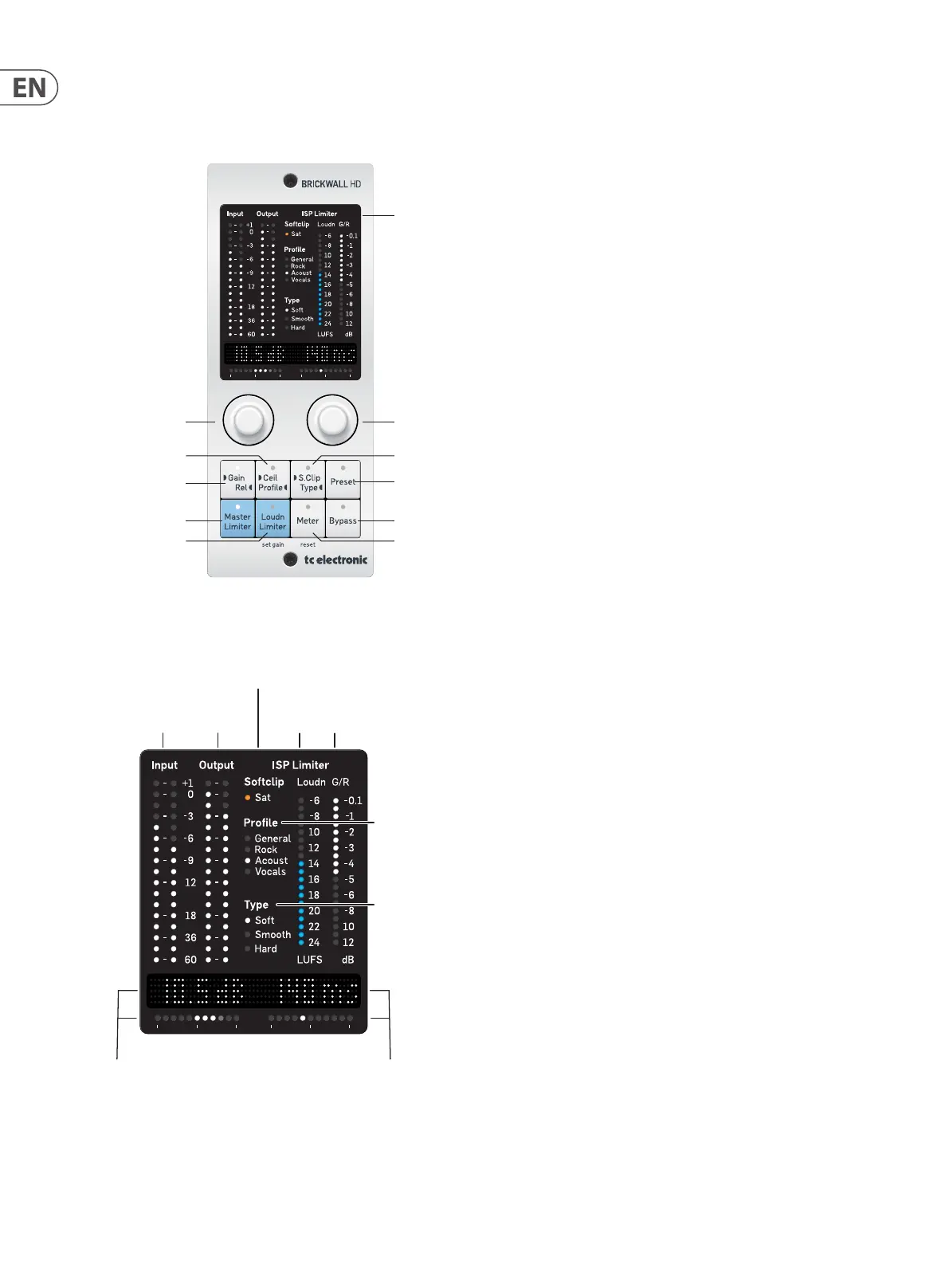
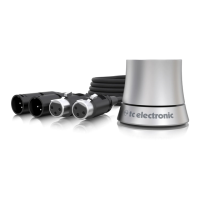
Desktop Controller (optional)
Right Encoder
Display
Preset
Soft Clip/TypeCeiling/Prole
Gain/Release
Master Limiter
Loudness Limiter
(Hold to start the
Set Gain procedure
in Loudness Limiter)
Bypass
Meter (STATS)
(Hold to Reset
METER (STATS))
Left Encoder
Right Encoder
Readout
and Display
Left Encoder
Readout and
Display
Input and Output
PPM Meters
Limiter Gain
Reduction Meter
Loudness
Meter
Prole
Selected
Softclip Amount
Type
Selected
7.1 Features
7.1.1 Display
The desktop controller display shows the following details:
• • Input Level L/R, PPM, True-Peak, dBFS
• • Output Level L/R, PPM, True-Peak, dBFS
• • Soft Clip Saturation, glowing LED with amount of gain reduction made
by the Soft-Clipper.
• • The chosen Limiter Prole: General, Rock, Acoustic, Vocals
• • The chosen Soft Clip Type: Soft, Smooth, Hard
• • Loudness bar showing short term (3 sec) loudness
• • Limiter Gain Reduction
7.1. 2 Master Limiter and Loudness Limiter
Select between the Master Limiter approach and the Loudness Limiter approach.
The LED on the selected Limiter Type will light up.
7.1.3 Meter
Selecting the Meter button will reveal a pair of the STATS in the text display. Use
the encoders to select which pair to see in the display.
The rst time you select a pair, their names are shown, followed by the units. The
next time you press Meter, only the values will be displayed. Press Meter again
for a reminder of what descriptor pair and units are currently shown.
The pairs are:
• • Integrated Loudness (I) LUFS, and Max True-Peak dBTP
• • Peak-to-Loudness (PLR) dB, and Loudness Range (LRA) LU
• • Short term Loudness Max (3 sec) LUFS, and Momentary Loudness Max
(400 ms) LUFS
• • PPM Peak Hold for left and right channel, dBFS True-Peak
Holding the Meter button will reset the STATS. The STATS are measured after the
plug-in is inserted, after the last Reset, or the DAW project load. You can also
press Reset on the plug-in GUI to clear the measurements.
7.1.4 Bypass
Select bypass to quickly bypass the BRICKWALL. This will help you to judge the
eect of the plug-in on your sound.
7.1.5 Gain/Release
Selecting the Gain/Rel button will assign Limiter Gain (Master Limiter) or Target
Loudness (Loudness Limiter) to the left encoder, and the Limiter Release to the
right encoder.
The value for each parameter will be shown in the display above, and the
horizontal LED bar will show the value setting in the value range, similar to the
circles in the plugin.
7.1.6 Ceiling/Prole
Selecting the Ceiling/Prole button will assign the Limiter Ceiling to the left
encoder, and Limiter Prole to the right encoder.



 To Next Page