2 BRICKWALL HD User Manual
Table of Contents
Important Safety Instructions ...................................... 3
Legal Disclaimer ............................................................. 3
Limited warranty ............................................................ 3
1. Introduction ............................................................... 4
2. Plug-in Installation .................................................... 5
2.1 Installation on a PC ............................................................. 5
2.2 Installation on a Mac ......................................................... 5
3. Activate your BRICKWALL HD ....................................
iLok license ..................................................................... 6
3.1 Activation .............................................................................. 6
3.2 Get a Free Demo License ................................................. 6
4. Connection and Setup .............................................. 6
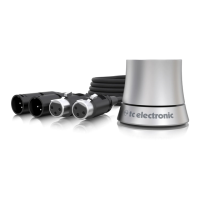
4.1 Connecting the BRICKWALL HD-DT Desktop
Controller (optional) .................................................................. 6
4.2 Operating the BRICKWALL HD ....................................... 6
4.3 How to Insert the Plug-in ................................................ 7
4.4 Mono/Stereo Operation ................................................... 7
4.5 Plug-in and Hardware Controls ..................................... 7
4.6 Connection Status to the Hardware Unit ................... 7
5. User Interface ............................................................. 8
5.1 Bypass On/O ...................................................................... 9
5.2 Main Display ......................................................................... 9
5.3 Meters ..................................................................................... 9
5.4 Statistics ............................................................................... 10
6. Precision in Level and Time .................................... 10
6.1 Two Limiter Approaches ................................................ 10
6.2 Adaptive Release Time ................................................... 12
6.3 Ceiling ................................................................................... 12
6.4 Soft Clip ................................................................................ 12
6.5 Operational Hints ............................................................. 13
6.6 Modern Mastering, Loudness and .................................
True-Peaks ................................................................................... 14
7. Navigating the BRICKWALL HD Desktop Controller
(optional)....................................................................... 16
7.1 Features ................................................................................ 16
7.2 Set Gain procedure using the optional Desktop
Controller ..................................................................................... 17
8. Presets ...................................................................... 18
8.1 Factory Presets ................................................................... 18
8.2 User Presets ........................................................................ 18
8.3 Favorite Presets ................................................................. 19
8.4 Browse Favorites Only ..................................................... 19
8.5 Make Current Preset Default ........................................ 19
8.6 Reveal User Preset Folder in Explorer ....................... 19
8.7 Presets and the optional Desktop Controller .........20
9. Software Updates ...................................................20
9.1 Hardware Unit Software Updates (optional) ..........20
10. Specications ......................................................... 21



 To Next Page