8 BRICKWALL HD User Manual
5. User Interface
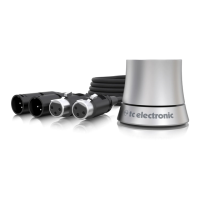
Control of the BRICKWALL HD is done in the plug-in, or using the optional
hardware unit (when you have purchased the DT version).
Limiter Parameters:
• • Limiter Gain (Master Limiter): 0.0 to +18.0 dB
• • Output Target Loudness (Loudness Limiter): -25.0 to –6.0 LUFS
• • Use the Set Gain button to automatically optimise for Spotify/Apple/AES
Stream platforms
• • Level Ceiling: -6.0 to 0.0 dBTP
• • Adaptive Release: On/O. Because dynamic release times are included
with the Adaptive proles, Release becomes inactive when Adaptive is
selected
• • Release time: 20 ms to 3.0 sec (applies when Adaptive Release is O)
• • Limiter Prole: General, Rock, Acoustic, Vocals (applies when Adaptive
Release is On)
Softclipper:
• • On/O, a convenient way of A/B’ing the settings.
• • Type: Soft, Smooth, Hard
• • Threshold: 0.0 to -20.0 dBFS
Meters:
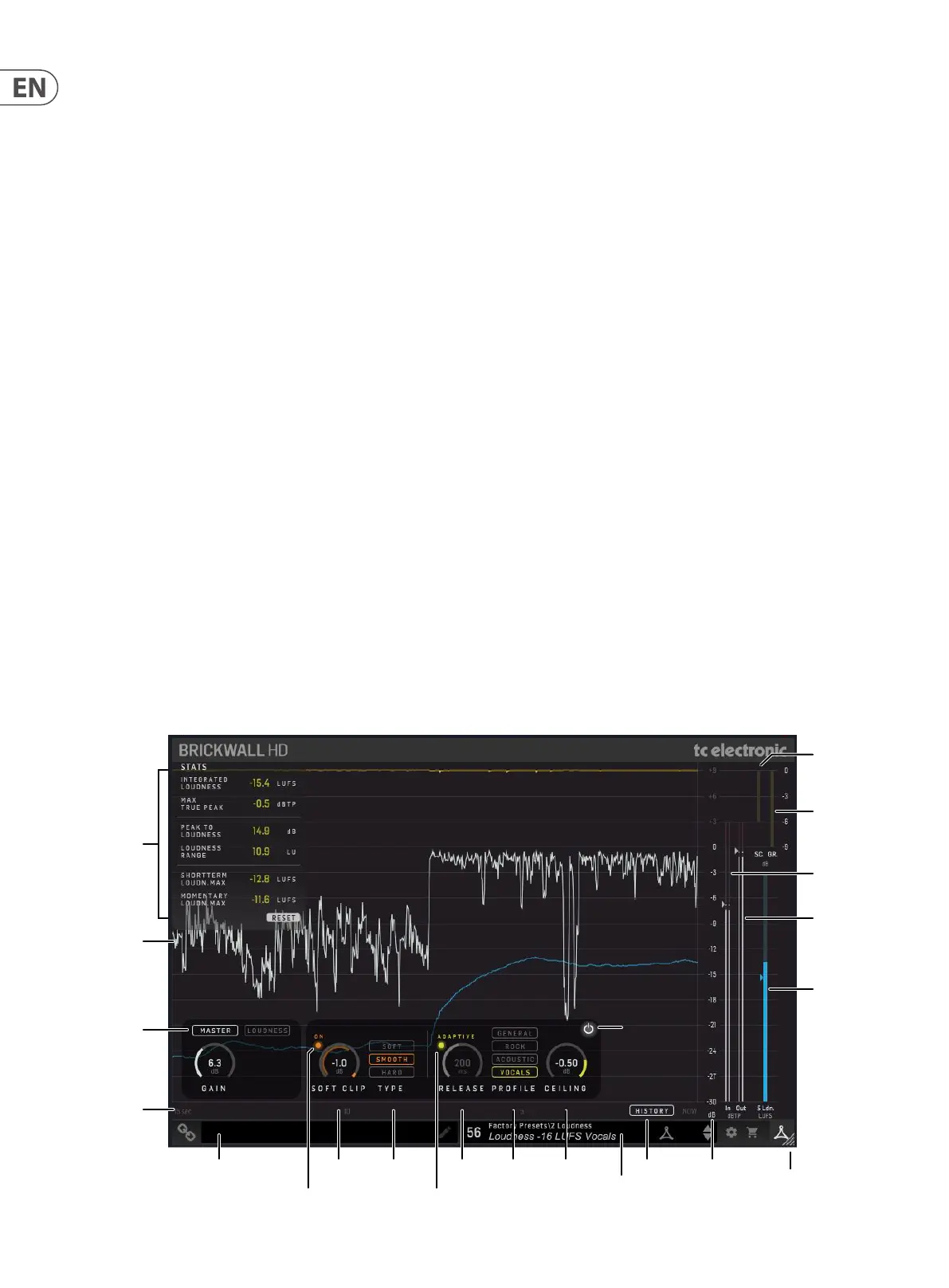
• • Limiter Input/Output, with indication of Threshold and Ceiling
• • Soft Clip Gain Reduction
• • Limiter Gain Reduction
• • Short-Term Loudness, with Integrated Loudness indication
Soft Clip on/o
Module Connection
Status and Tool Tips
Soft Clip Type Release
Adaptive on/o
Prole Ceiling History Level Axis
(dB)
Window Size
Adjustment
Input
Meter L/R
Output
Meter L/R
Soft CLip
Gain Reduction
Meter
Limiter
Gain Reduction
Meter
Bypass
Short-Term
Loudness
Meter
Stats
Signal
Level
Select Master
or Loudness
approach
Time Axis
(seconds)
Preset
Window
Main Display (shown when History is on):
• • 15 second scrolling view of levels and gain reduction
• • Limiter Input,shown after applied Gain, is grey
• • Limiter Output is white
• • Soft Clip Gain Reduction is orange
• • Limiter Gain Reduction is yellow
• • Short-Term Loudness is blue
Stats View:
• • These are the measurements since the last plug-in insert, last Reset or
the DAW project load. Press Reset to clear the measurements
• • Integrated Loudness
• • Max True-Peak
• • Peak-to-Loudness
• • Loudness Range
• • Short term Loudness Max
• • Momentary Loudness Max
At the bottom left:
• • Connection status "Chain" icon
• • Connection status message and Tool Tips
At the bottom right:
• • Preset number, preset name, factory or user, favorite, preset up/down
• • Setup
• • Shopping cart
• • User Interface size adjustment



 To Next Page