8
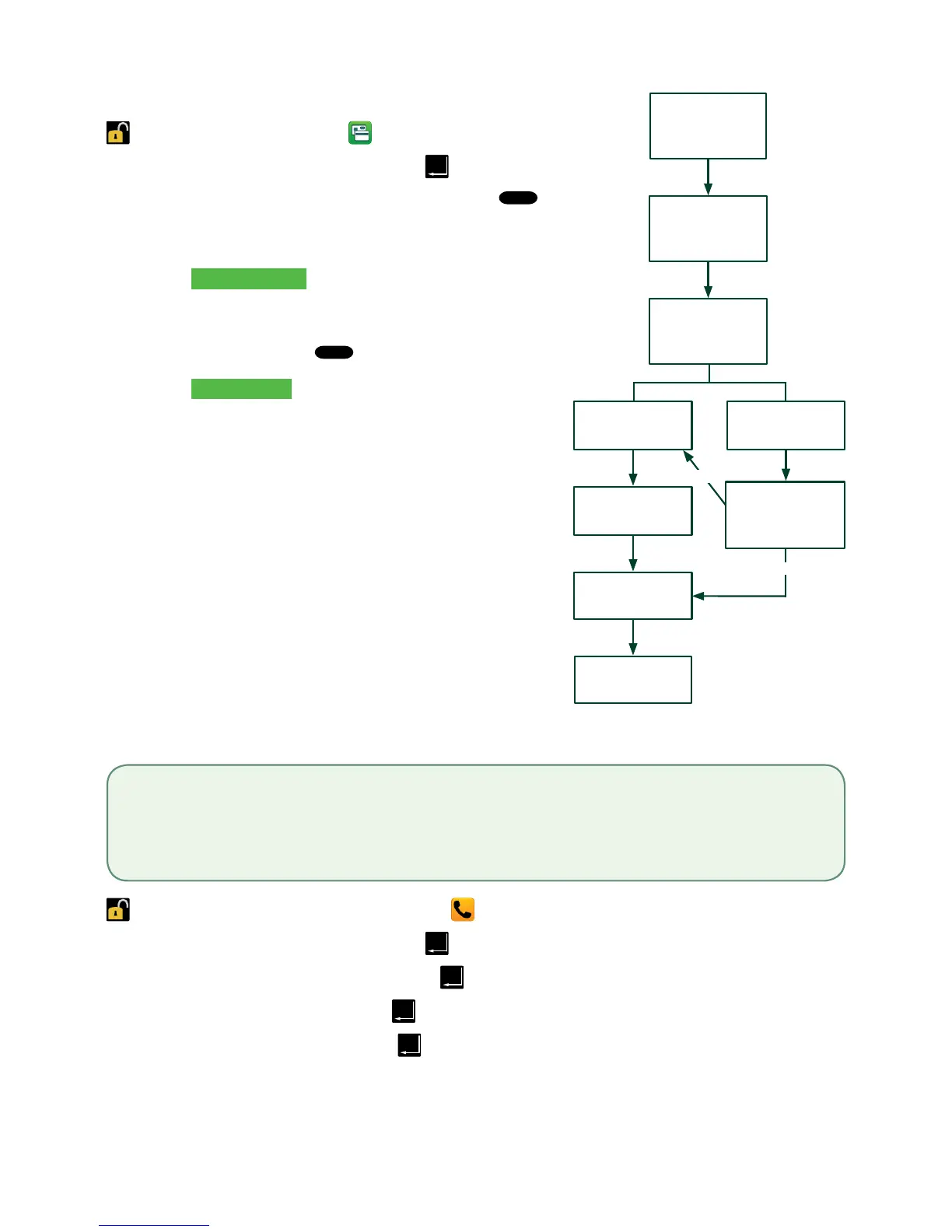
Debitcardpurchase
->HomeScreen->Desktop-> Purchase
1. Enterthedollar amountandtap
.
2. Customerconfirmsthedollaramountandpresses
.
3. Selectoneofthefollowingpaymentmethods:
Insert,SwipeorContactless.
Insert / swipe
a) Thecustomerselectstheaccountto
use:CHEQUINGorSAVINGS.
b) ThecustomerenterstheirPINand
presses
.Gotostep4.
Contactless
a) Thecustomertapstheircontactless
enabledcreditcardonthecontactless
cardreader.Insomecasesthecustomer
mayberequiredtoswipeorinserttheir
card.Gotostep4.
4. Thescreenshowsthatthetransactioniscompleted
withanauthorizationnumberorapprovedmessage
andthereceiptsprint.
5. YoucanREPRINTthereceiptorFINISHthe
transaction.
Phoneormailpurchase
->HomeScreen->Desktop->MainMenu-> Phone / Mail Purchase
1. Enterthedollar amountandtap
.
2. Entertheaccount numberandtap
.
3. Entertheexpiry dateandtap
.
4. EntertheCVD numberandtap
.Thisstepisdependentuponyoursettings.
5. Thescreenshowsthatthetransactioniscompletedwithanauthorizationnumberandthereceiptsprint.
6. YoucanREPRINTthereceiptorFINISHthetransaction.
ENTER
AMOUNT
CONFIRM
AMOUNT
RECEIPTS
INSERT or
SWIPE CARD
TAP CARD
SELECT
PAYMENT
METHOD
FINISHED
ENTER PIN
DIFFERENT
PAYMENT
REQUIRED?
YES
NO
• These instructions are used for purchases where the card is not present. If the card is present at purchase, see
Credit card purchase. If you use the incorrect purchase transaction you could incur extra charges.
• There are risks performing transactions when the credit card is not present. Ensure that you perform all of the
available security checks for phone / mail purchases.



 To Next Page