3
Terminal and PINPad Screens
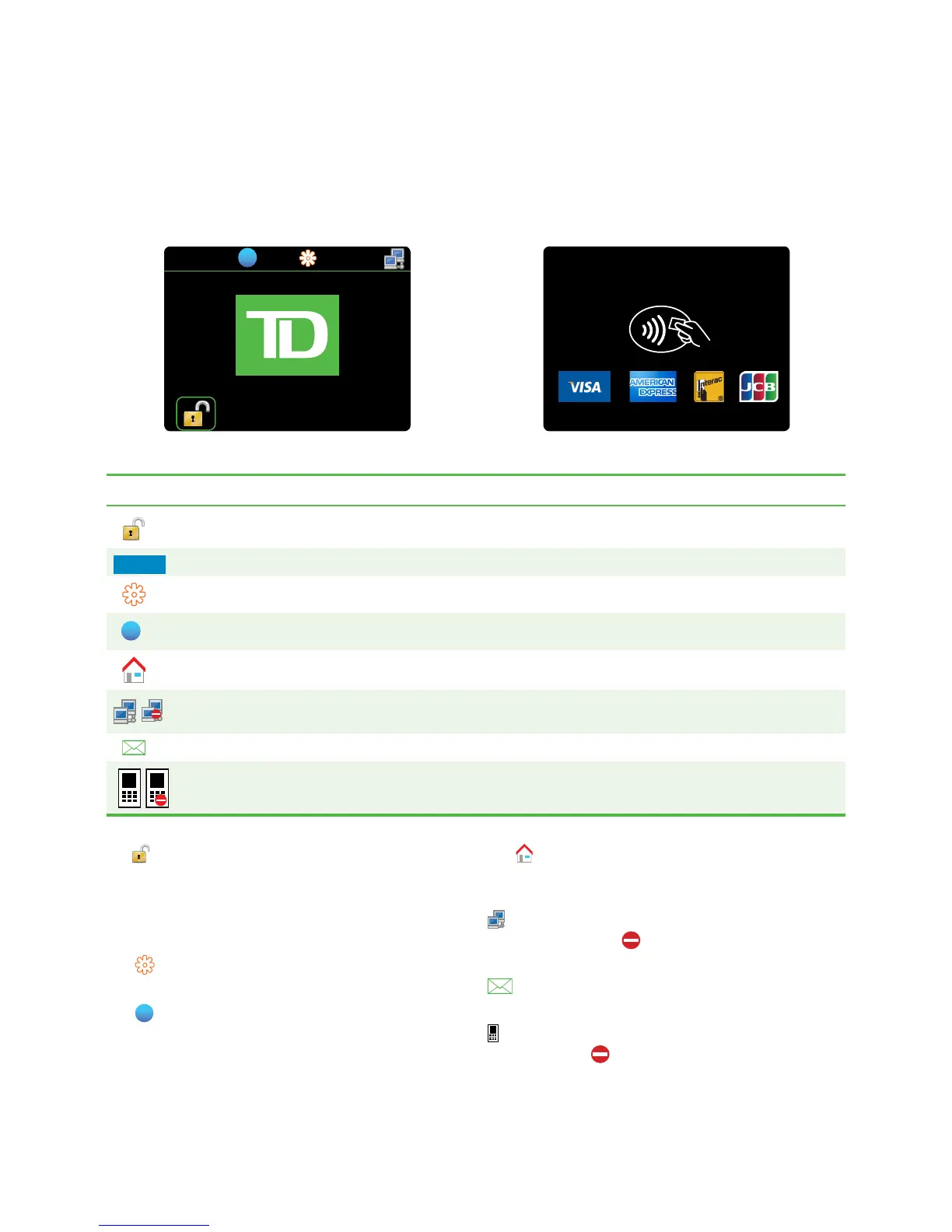
Idlescreensandicons
ThedefaultscreeniscalledtheIdle screen.Itdisplaysalotofimportantinformationanddifferentwaysto
accessyourterminal’sfunctionality.ThePINPadscreenhasnointerfaceicons.
Icon Name Idle Home Desktop and Main Menu
Accesshomescreen
-
Patel
ActiveMerchant - -
ControlPanel
-
Help
Home - -
Internetconnection
status
Mail
PINPadconnection
status
PINPad
Access home screen
Tap toaccesstheHomescreenandselectaMerchant.
Active Merchant
AcolouredboxwiththeMerchant’snameinthetop-left
corneroftheDesktopandMain Menuscreens.
Control Panel
Tap toaccesstheControl Panel.
Help
Tap
toaccesstheHelpscreen.
Home
Tap toreturntotheHomescreentoselecta
newMerchant.
Internet status
indicatesyourterminalisconnectedtotheInternet.
Ifitisn’tyouwillsee ontopoftheicon.
Mail
indicatesthatyouhaveanemailwaiting.
PINPad connection icon
indicatesyourPINPadisconnectedtotheterminal.Ifit
isn’tyouwillsee ontopoftheicon.



 To Next Page