71
83-530-000 Rev J
8.4. Connecting Power Supplies to RS232 Bus
8.4.1. Single Power Supply
a) Select the desired interface RS232 or RS485 using rear panel setup switch SW1-6
(Section 0).
RS232: Down position
RS485: Up position
b) Connect rear panel IN connector to the controller RS232 or RS485 port using a
suitable shielded cable.
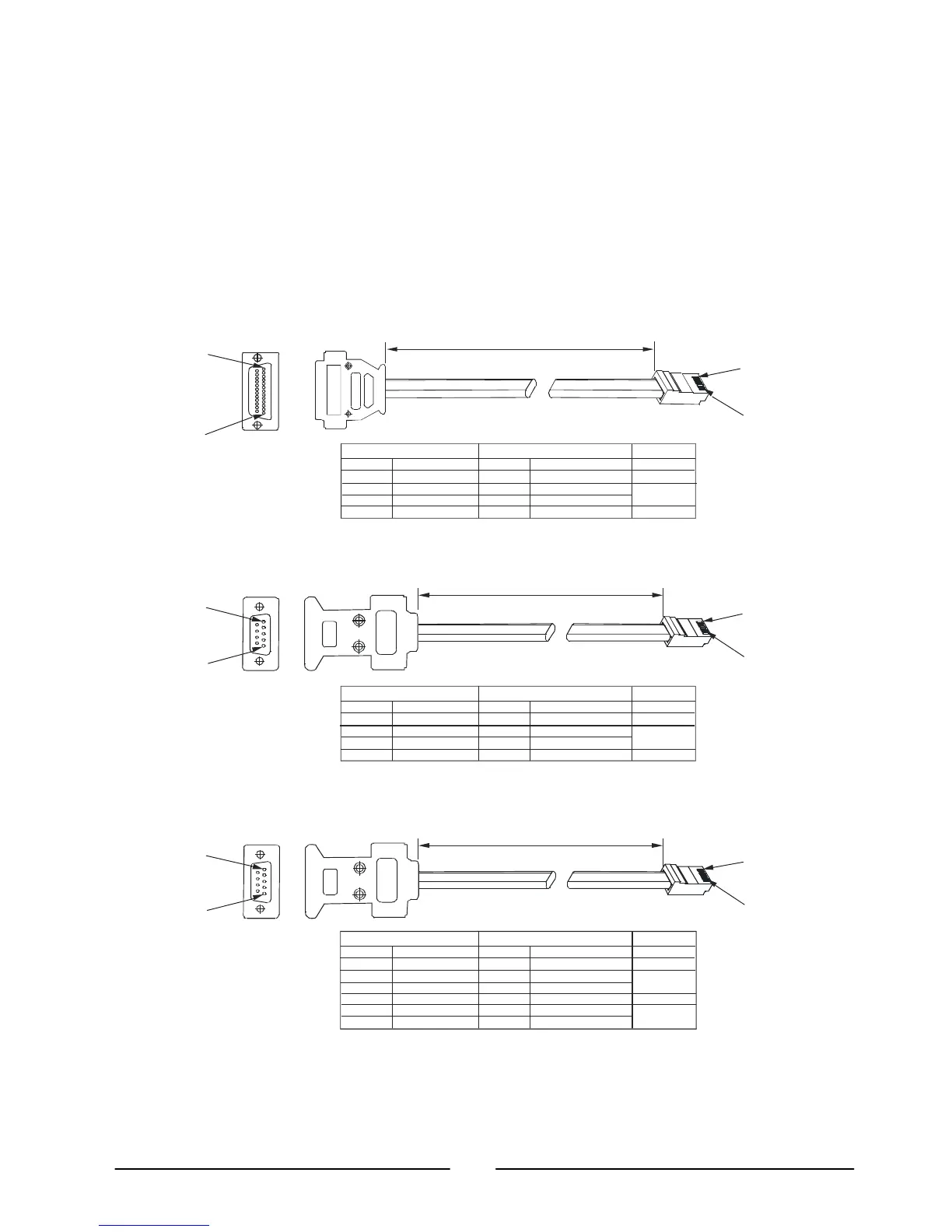
Refer to Figures 8-2, 8-3 and 8-4 for available RS232 and RS485 cables.
2
3
7
1
8
7
1
PIN NO.
PIN NO.NAME
NAME
SHIELD
TX
RX
SG
SHIELD
RX
TX
SG
DB-
8 PIN CONNECTOR REMARKS
PAIR
8
1
13
1
2
3
5
7
8
1
PIN NO.
HOUSING
HOUSING
PIN NO.NAME
NAME
SHIELD
RX
TX
SG
SHIELD
TX
RX
SG
DB-
8 PIN CONNECTOR
REMARKS
PAIR
8
1
5
1
9
8
1
5
4
6
3
1
5
4
PIN NO.
HOUSING HOUSING
PIN NO.NAME NAME
TWISTED
PAIR
TWISTED
PAIR
SHIELD
TXD
TXD
SG
RXD
RXD
SHIELD
RXD
RXD
SG
TXD
TXD
DB-9 CONNECTOR
REMARKS
-
+
+
+
+
-
-
-
8
1
5
1
2: RS232 cable with DB25 connector (P/N: GEN/232
3: RS232 cable with DB9 connector (P/N: GEN/232
4: RS485 cable with DB9 connector (P/N: GEN/485
L=2m typ.
L=2m typ.
L=2m typ.
Sockets
Sockets
Sockets



 To Next Page