Need help?
Do you have a question about the TDSi EXcel4 and is the answer not in the manual?
Details regarding product warranty terms and conditions.
Lists registered trademarks and product names.
Explains important symbols used in the manual for user guidance.
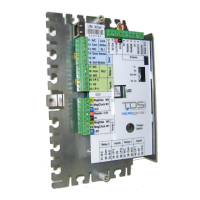
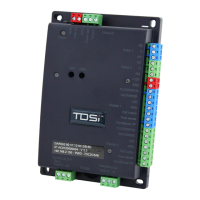
Diagram showing the physical layout of the EX series controller and its components.
Overview of the EXcel4's capabilities for access control and system integration.
Detailed technical specifications including voltage, current, dimensions, and environmental limits.
Recommended cable types, cores, and maximum distances for various readers and communication methods.
Instructions for connecting the unit to the mains power supply, including safety and wiring.
Best practices and warnings for installing the access control system, including grounding and cable handling.
Guidance on grounding cable shields at the ACU to ensure effective screening and minimize noise.
Details on using the built-in power supply for operating door locks.
Information on lock types, power requirements, and relay ratings for door locks.
Instructions for fitting suppressors to inductive loads to prevent electrical noise and damage.
Steps to identify and fix communication issues between the ACU and other system components.
Steps for configuring the EXcel4 unit after installation using EXgarde software.
Pin-out details for power and communication connections on the EXcel4 terminal.
Connection table for the MA-45 converter to the EXcel4 unit.
Wiring guide for connecting multiple EXcel units in a system.
Mapping between PC RS232 ports and EXcel4 terminals.
Diagram illustrating fail-locked wiring for locks drawing less than 2A.
Explanation of lock configuration that is locked when power is applied.
Wiring details for connecting a single ACU to a PC via RS232.
Instructions for using a USB to RS232/RS485 protocol converter.
Using the xsearch utility to verify controller online status via serial ports.
Procedure for assigning an IP address to EXcel4 units for network communication.
Guide to using installer mode for testing cards, readers, and door operations.
Declarations of conformity with relevant CE directives.
Guidelines on operating conditions and compatibility with third-party equipment.
Brief description of TDSi EXcel4 Access Control Units with internal PSU.
Power supply rating and maximum current draw for the EXcel4 unit.
Critical safety warnings, including disconnecting power before servicing.
Guidance on proper placement, mounting, and environmental considerations for the equipment.
 General
| Model | EXcel4 |
|---|---|
| Category | Controller |
| Manufacturer | TDSi |
| Readers Supported | 4 |
| Max Number of Doors | 4 |
| Number of Users | 10, 000 |
| Inputs | 8 |
| Power Supply | 12V DC |
| Communication | RS485, TCP/IP |
| Current Consumption | 500mA |
| Event Log Capacity | 50, 000 events |
| Operating Temperature | 0°C to 45°C |

 To Next Page