EasyManua.ls Logo

TDSi EXcel4 - 5 Connection Tables; Power and Communications; RS232;RS485 Converter; Connecting One Excel 4 to Another

TDSi EXcel4
57 pages
Print Icon
To Next Page IconTo Next Page
To Previous Page IconTo Previous Page
Loading...
EXcel4 Controller Page 43
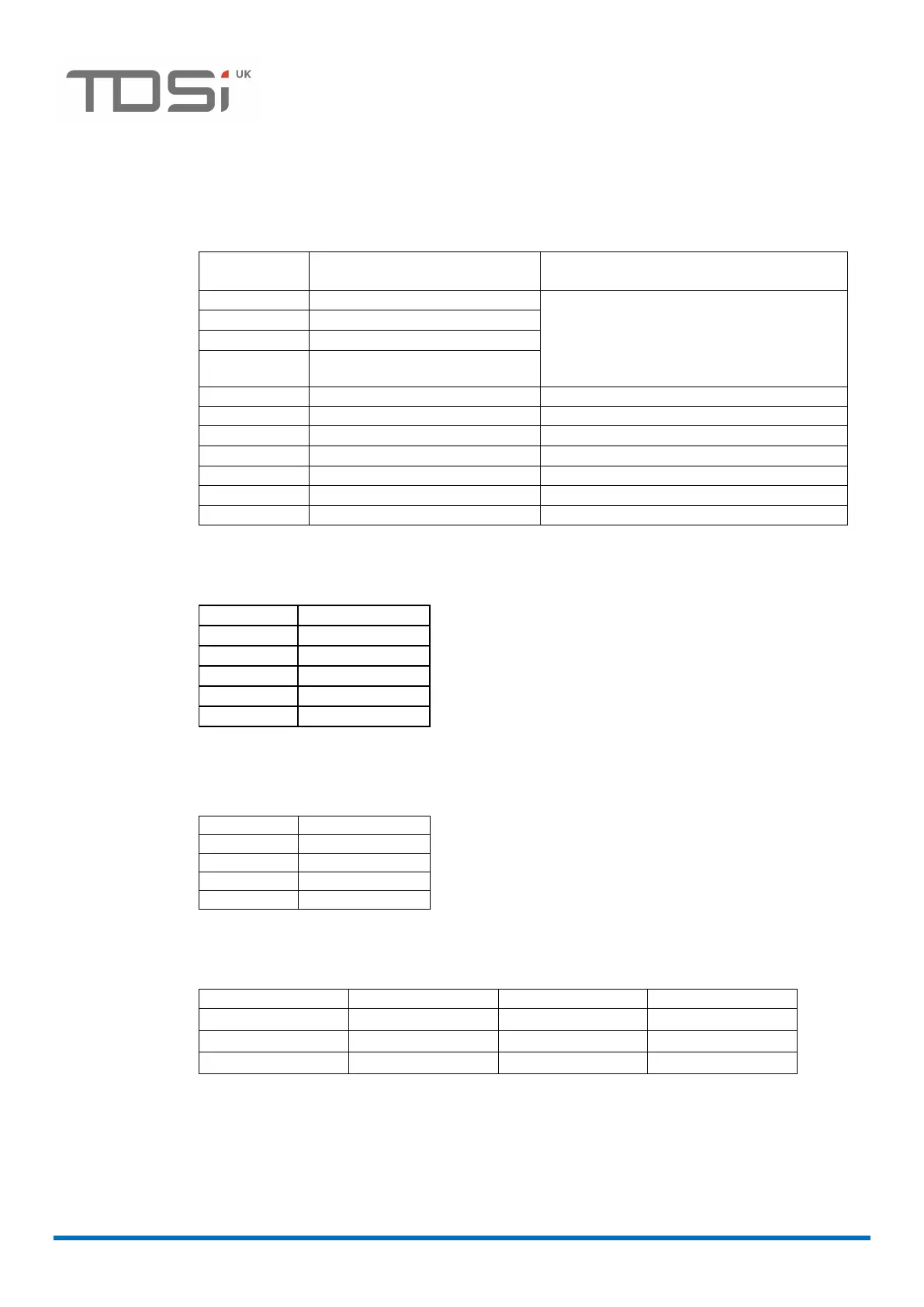
5 Connection tables
5.1.1 Power and communications
EXcel
4
terminal
Function
Notes
1
RS485A TX
The descriptions “A” and “B” are not
always consistent between various
manufacturers. To avoid problems,
always follow the pin-to-pin tables in
this manual.
2
RS485B TX
3
RS485A RX
4
RS485B RX
5
RS232 COMMS 0V (SG)
6
RS232 RX
7
RS232 TX
8
RS232 RTS
9
RS232 CTS
10
12V DC Power Supply IN
11
0V In Power Supply Ground
5.1.2 MA-45 RS232/RS485 converter
MA-45
EXcel 4
1
2
2
1
3
4
4
3
5
No connection
5.1.3 Connecting one EXcel
4
to another (the same pin
connections apply for all EX series)
EXcel
4
EXcel
4
3
3
4
4
1
1
2
2
5.1.4 RS232 to EXcel
4
PC 9-way
PC 25-way
EXcel 4 terminal
Function
2
3
7
Receive
3
2
6
Transmit
5
7
5
Ground

Table of Contents

Related product manuals