EasyManua.ls Logo

Teac A-5500 - Page 39

Teac A-5500
109 pages
Print Icon
To Next Page IconTo Next Page
To Previous Page IconTo Previous Page
Loading...
oouK.
20
50
100 200 $00
2k
5K
10K
=15K
20K
30K
SOK
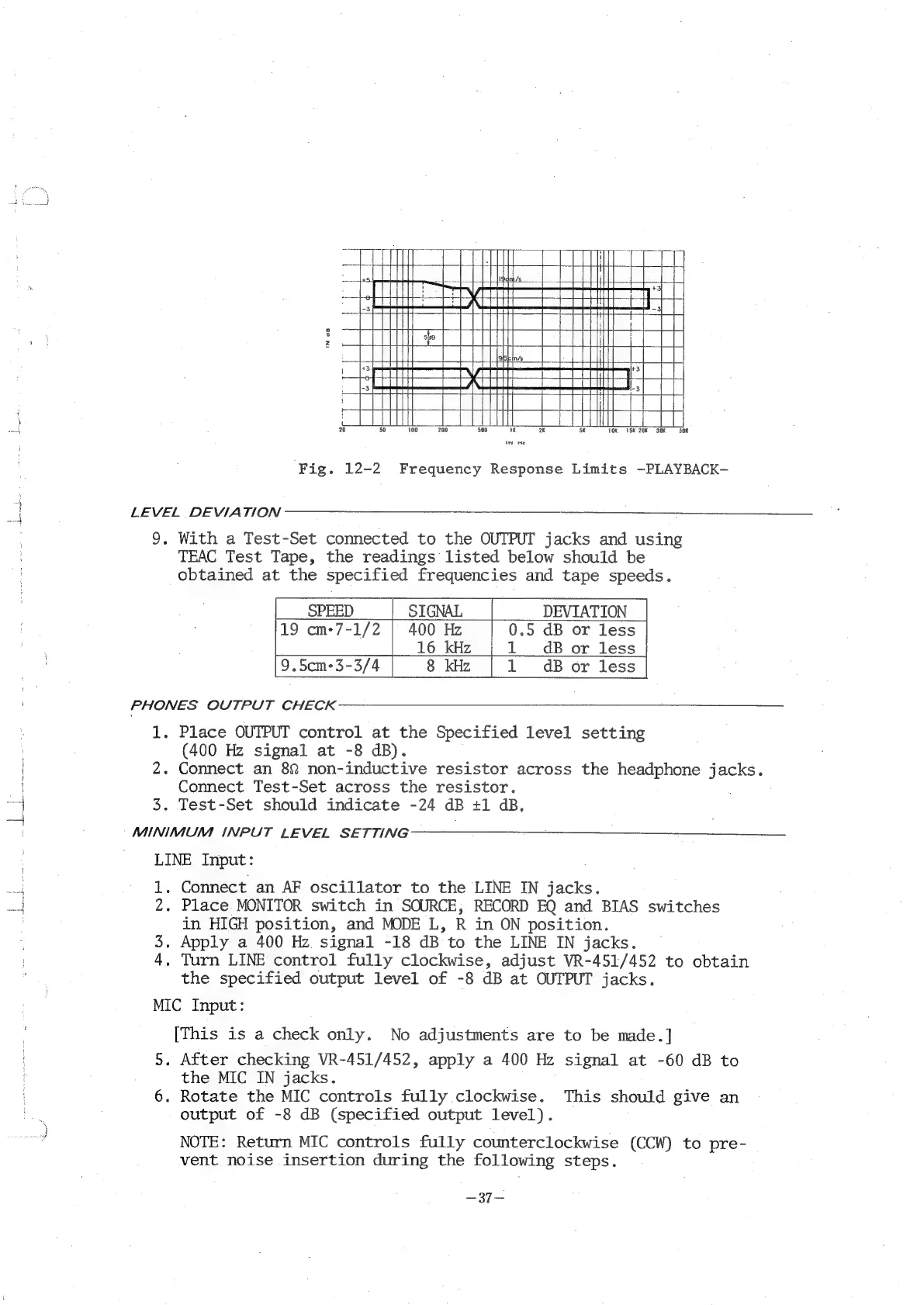
Fig.
12-2
Frequency
Response
Limits
~PLAYBACK-
i
LEVEL
DEVIATION
9,
With
a
Test-Set
connected
to
the
OUTPUT
jacks
and
using
TEAC
Test
Tape,
the
readings
listed
below
should
be
obtained
at
the
specified
frequencies
and
tape
speeds.
16
kHz
1__dB
oor
less
PHONES
OUTPUT
CHECK
1.
Place
OUTPUT
control
at
the
Specified
level
setting
(400
Hz
signal
at
-8
dB).
2.
Connect
an
82
non-inductive
resistor
across
the
headphone
jacks.
Connect
Test-Set
across
the
resistor.
3.
Test-Set
should
indicate
-24
dB
+1
dB,
MINIMUM
INPUT
LEVEL
SETTING
LINE
Input:
ik
1.
Connect
an
AF
oscillator
to
the
LINE
IN
jacks.
ina
2.
Place
MONITOR
switch
in
SOURCE,
RECORD
EQ
and
BIAS
switches
in
HIGH
position,
and
MODE
L,
R
in
ON
position.
3.
Apply
a
400
Hz
signal
-18
dB
to
the
LINE
IN
jacks.
4,
Turn
LINE
control
fully
clockwise,
adjust
VR-451/452
to
obtain
the
specified
output
level
of
-8
dB
at
OUTPUT
jacks.
MIC
Input:
[This
is
a
check
only.
No
adjustments
are
to
be
made.]
5.
After
checking
VR-451/452,
apply
a
400
Hz
signal
at
-60
dB
to
the
MIC
IN
jacks.
6.
Rotate
the
MIC
controls
fully
clockwise.
This
should
give
an
output
of
-8
dB
(specified
output
level).
NOTE:
Return
MIC
controls
fully
counterclockwise
(CCW)
to
pre-
vent
noise
insertion
during
the
following
steps.
—37—

Related product manuals