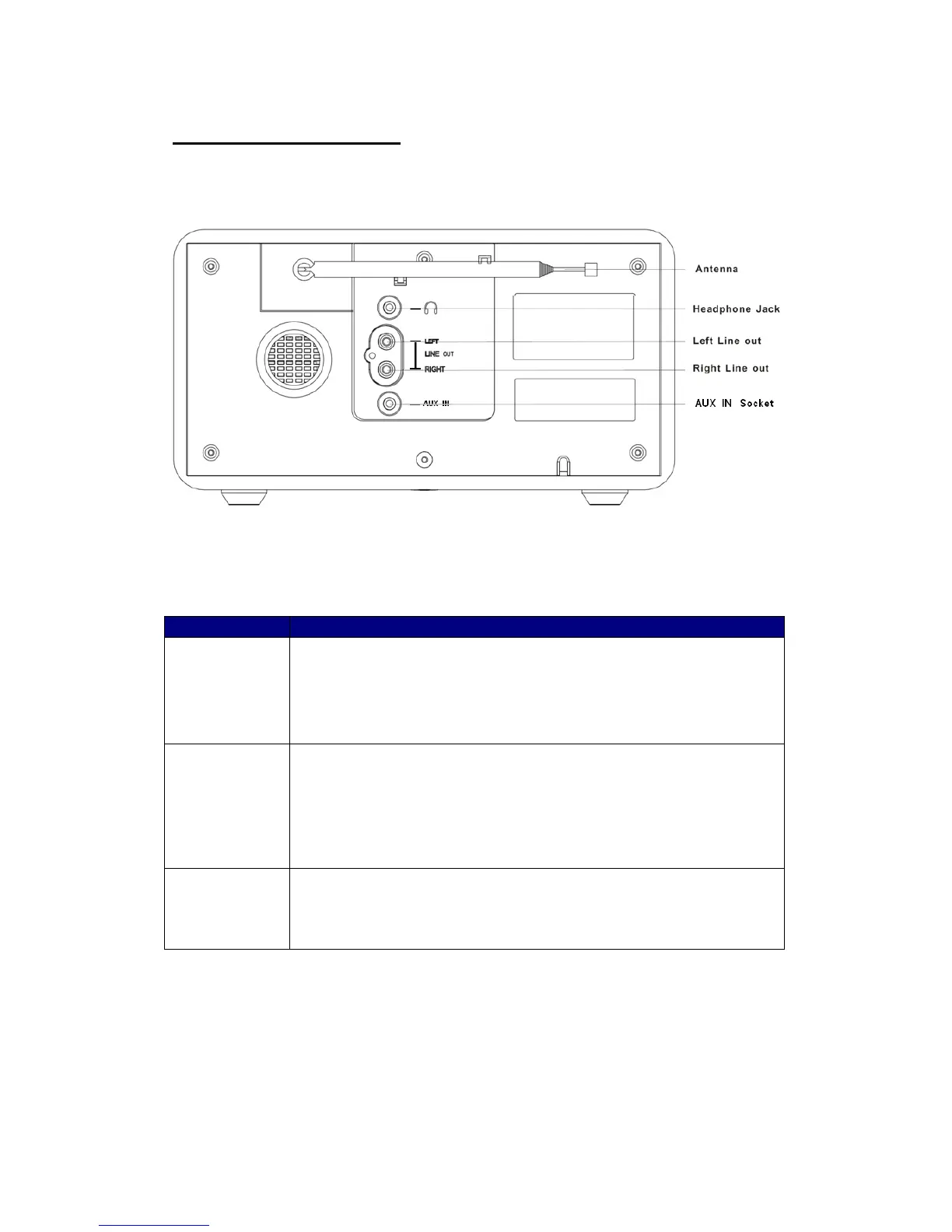
Headphone
Socket:
a. A 3.5mm Headphone Socket located on the rear of your radio is
provided for use with either headphones or an earpiece.
b. Inserting a plug automatically mutes the internal loudspeaker.
Line out
socket:
a. Red/Black RCA Line out sockets located on the rear of your radio is
provided for connecting the audio signal to an external amplifier.
b. Inserting a line out audio cable will not mute the internal loudspeaker.
c. Set the volume control to minimum if desired.
AUX IN
socket
a. Unique designed for connecting external audio device.


 To Next Page