26
How to set Clock
1. It can be activated from < System > à < Time >, press the Scroll knob to confirm.
@ Note: below item C and item D will explain how to set the time.
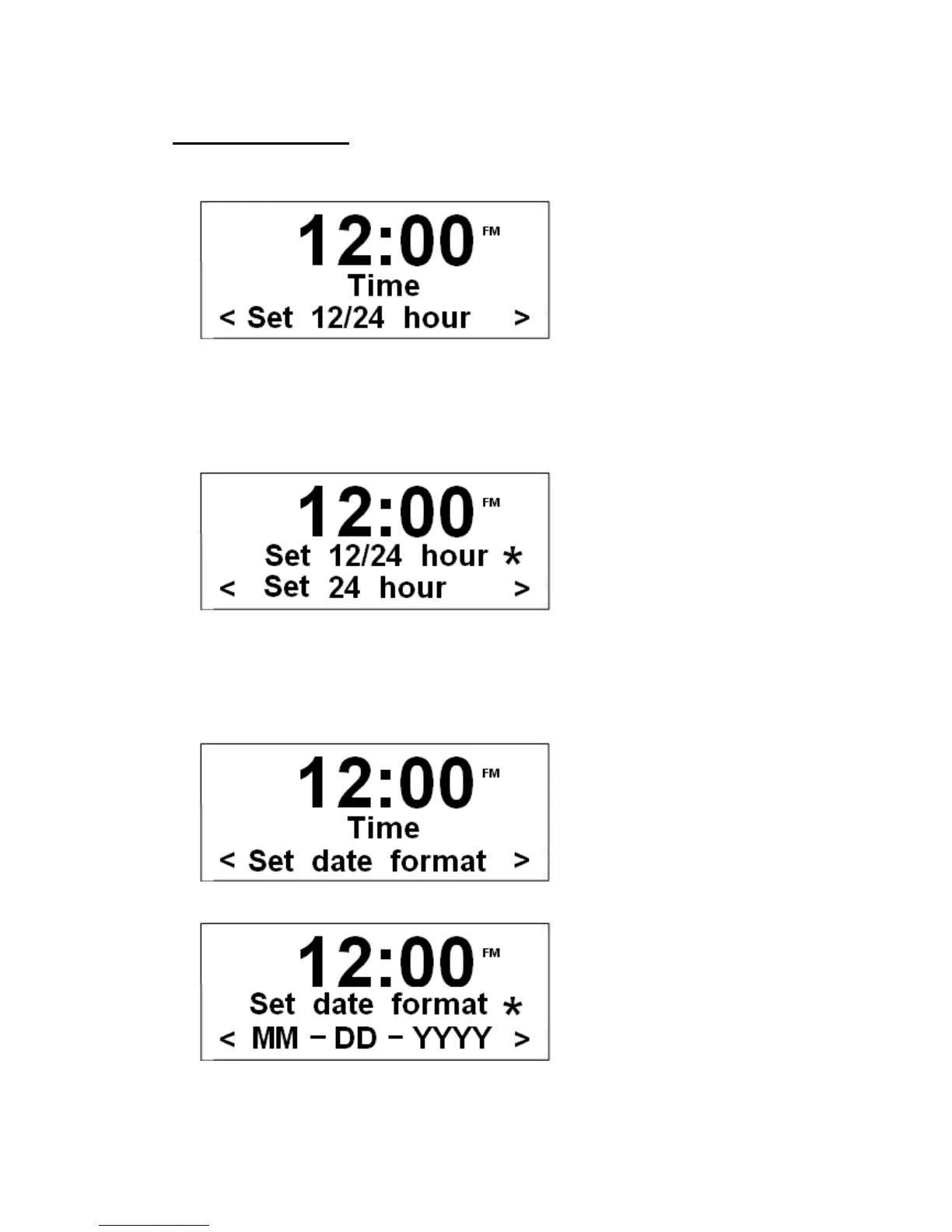
A. Set 12/24 hour format
a. While cursor point to < Set 12/24 hour >, press the Scroll knob to confirm.
b. Turn the Scroll knob to your required option, and then press it to confirm.
B. Set Date format
a.) Similar to above step 1, turn the Scroll knob to < Set date format >.
b.) Press the Scroll knob to confirm.
@ Note: You can select either ‘DD-MM-YYYY’ or 'MM-DD-YYY'.
c.) Turn the Scroll knob to your favor one, press it to confirm.


 To Next Page