19
FM MODE
FM Mode General Operation
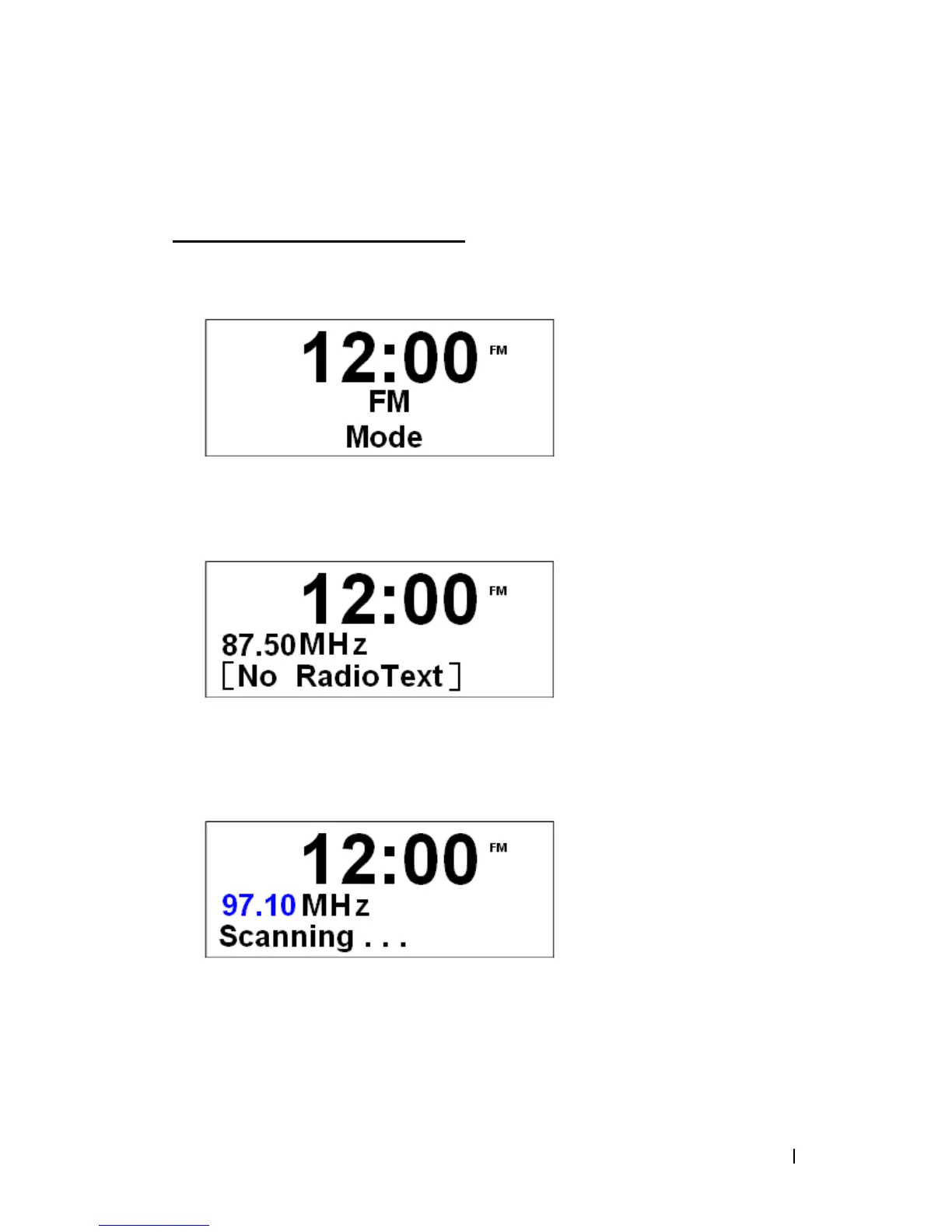
1. Power up radio, and then press Mode repeatedly until < FM Mode > appeared.
2. For initial use, it will start at the beginning of the FM frequency range (87.50MHz).
Otherwise, the last FM station you were listening will be selected.
3. You can manually change the FM frequency by 0.05MHz per step by turning the Scroll
knob.
4. To operate Auto Search function, press the Scroll knob.
@ Note: a. The display will shows that the unit is searching through the frequency range until a
station is found.
b. When unit reached the end of the frequency range, it will restart search from the
beginning of the frequency range.


 To Next Page