28
Menu system instruction
Menu system instruction
PVR Option
Start Timeshift
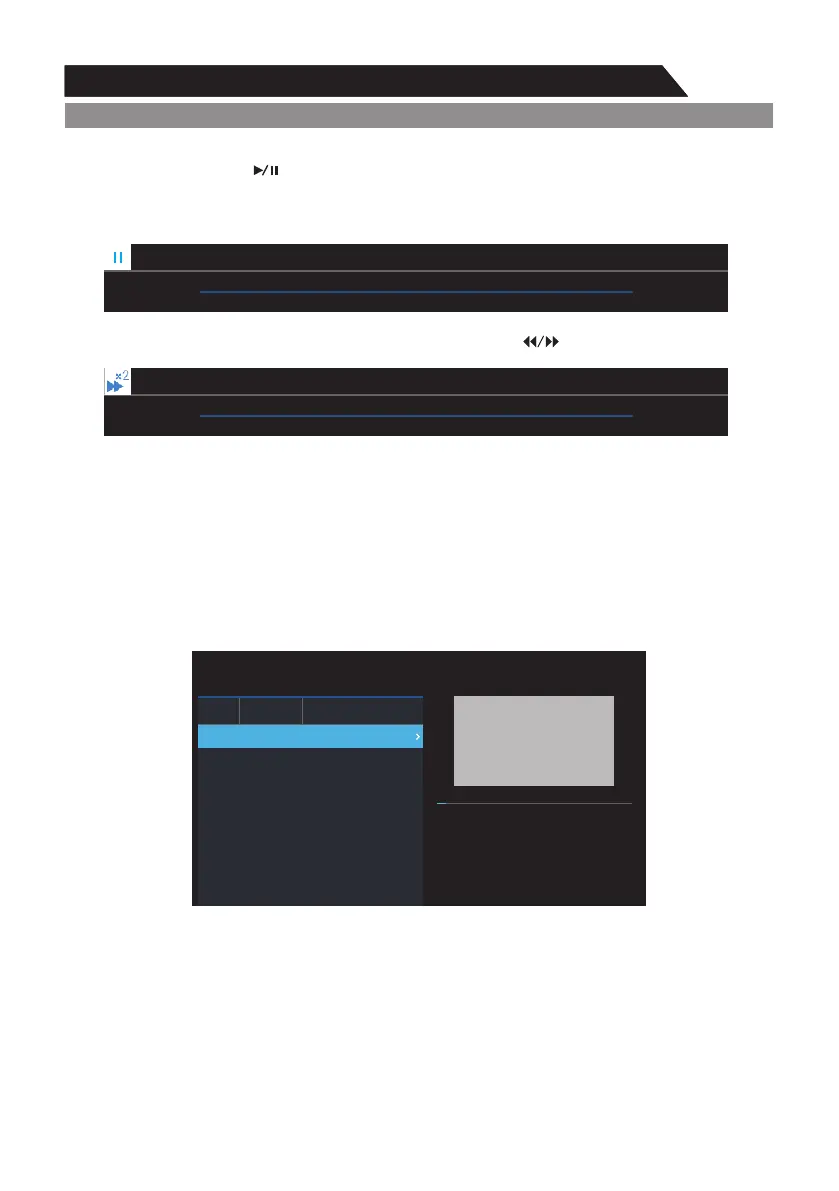
In DTV channel, press “ ” key to pause, press it again to resume playback.
This is the “Time Shift”. During the length of 'time shift', the program is temporarily stored in the
USB device. The 'time shift' length may be limited based on the available space in the USB device.
This feature supports fast forward and rewind function. Press “ ” key to go backward or forward.
Record Files
p q ENTERPress / key to select "Recorded List". If the storage device is ready, press “ ” key to
check the record list.
1) Press / key to select record file.p q
1) Press and “ ” key to delete the selected file.u ENTER
Record Files
LCN
9
Channel
Nine Digital
Program/Service
MALCOLM IN THE M...
00:00:02 00:00:33
MALCOLM IN THE MIDDLE
2018 08/11 16:20
CH 9 Nine Digital
00:00:12
03:50:25
CH 9 Nine Digital
00:00:31
03:50:25
Note: A USB device must be connected to the USB port for this function.



 To Next Page