31
Menu system instruction
Network
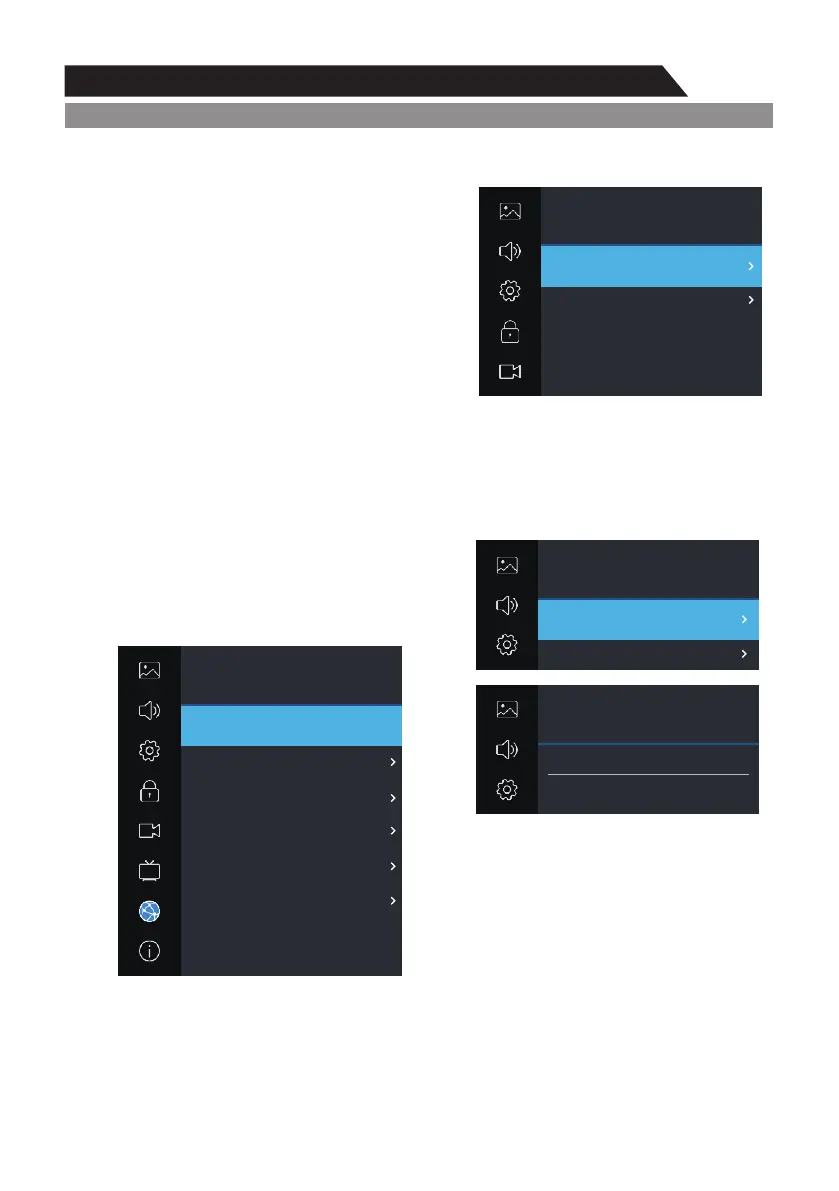
1. Press MENU key to display the main menu on the screen.
2. Press p/q key to select "Network" option.
3. Press u key to enter "Network" submenu.
Wi-Fi
To connect to Wi-Fi using "Autoscan", select
"Autoscan" option and press the key to select your
Wi-Fi network. For manual input, select "Manual
Input" option, then set up IP, Netmask, Gateway
and DNS. Press "Connect" when the setup is
complete.
Ethernet
To connect to wired network using Dynamic IP address setting, select "DHCP" in
Configuration, then press "Connect" to enter.
If using Static IP address setting, select "Static" in Configuration, then set up IP, Netmask,
Gateway and DNS. Press "Connect" when setup is complete.
Wake On LAN/Wake On WLAN
Use the ◄/► Buttons to turn on these
functions. Your mobile phone should
be in the same network as the TV.
Network
Picture
Sound
PVR Option
About
Setting
Lock
Program
Network / Ethernet
Network
Configuration
IP
Netmask
Gateway
DNS
Connect
255.255.254.0
172.16.66.254
Static
172.16.67.130
172.16.64.81
Network
Picture
Sound
PVR Option
Setting
Lock
Wi-Fi
Ethernet
Wake On LAN
Wake On WLAN
On
ut
On
ut
Not Connected
Not Connected
Network
Picture
Sound
Setting
Network / Wi-Fi
Auto Scan
Manual Input
Network
Picture
Sound
Setting
Network / Wi-Fi
Searching, Please Wait...
ut



 To Next Page