

EasyManua.ls Logo

Teac E Series - User Manual

Teac E Series
45 pages
Print Icon
To Next Page IconTo Next Page
Loading...
LE32E121
Question and Answer IconNeed help?

Do you have a question about the Teac E Series and is the answer not in the manual?

Summary

Warranty Procedure

Warranty Service and Contact Information

Details warranty service, hotline, and required information for claims.

Terms and Conditions

Consumer Rights and Warranty Terms

Outlines consumer law rights, warranty exclusions, and product coverage periods.

Safety Instructions

Electrical, Fire, and Moisture Hazards

Covers risks of electric shock, fire, moisture, and safe use of power outlets and cords.

Handling Abnormal Situations and Screen Care

Procedures for abnormal events and tips for maintaining the screen.

Safety and Maintenance

Installation and LED Screen Precautions

Guidelines for TV installation, dew management, and LED screen properties.

Still Image Display and Cleaning

Warning about screen burn-in and instructions for cleaning the TV.

Installation Guide

Stand Assembly and Wall Mounting

Step-by-step instructions for attaching the stand and options for wall mounting.

Remote Control Operation Part 1

Button Functions (1-20)

Details the operation of remote control buttons 1-20.

Remote Control Operation Part 2

Connecting External Devices: HDMI

Basic Operation: Menu Navigation

Basic Operation: Channel Management

Menu System: Picture Settings

Picture Adjustment Options

Adjustments for contrast, brightness, color, sharpness, and other picture quality aspects.

Menu System: Sound Settings

Sound Configuration Options

Configuration options for sound modes, equalizer, volume limits, and surround sound.

Menu System: General Settings

Menu System: Lock and Parental Control

Program Locking and Guidance

Using the lock system to restrict programming and setting up parental guidance.

Menu System: PVR Options

Menu System: PVR Timeshift

Menu System: Program Management

Menu System: Network Connectivity

Home Operation: Initial Setup

Digital Media Player

Troubleshooting: Power and Sound

Power, Picture, and Sound Issues

Solutions for common problems related to power, picture, and sound.

Troubleshooting: Connectivity and Display

Channel, USB, and Display Issues

Resolving issues with channel tuning, USB playback, picture distortion, and screen display.
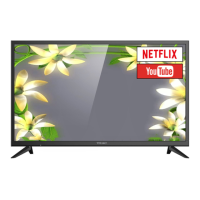
Summary

Warranty Procedure

Warranty Service and Contact Information

Details warranty service, hotline, and required information for claims.

Terms and Conditions

Consumer Rights and Warranty Terms

Outlines consumer law rights, warranty exclusions, and product coverage periods.

Safety Instructions

Electrical, Fire, and Moisture Hazards

Covers risks of electric shock, fire, moisture, and safe use of power outlets and cords.

Handling Abnormal Situations and Screen Care

Procedures for abnormal events and tips for maintaining the screen.

Safety and Maintenance

Installation and LED Screen Precautions

Guidelines for TV installation, dew management, and LED screen properties.

Still Image Display and Cleaning

Warning about screen burn-in and instructions for cleaning the TV.

Installation Guide

Stand Assembly and Wall Mounting

Step-by-step instructions for attaching the stand and options for wall mounting.

Remote Control Operation Part 1

Button Functions (1-20)

Details the operation of remote control buttons 1-20.

Remote Control Operation Part 2

Connecting External Devices: HDMI

Basic Operation: Menu Navigation

Basic Operation: Channel Management

Menu System: Picture Settings

Picture Adjustment Options

Adjustments for contrast, brightness, color, sharpness, and other picture quality aspects.

Menu System: Sound Settings

Sound Configuration Options

Configuration options for sound modes, equalizer, volume limits, and surround sound.

Menu System: General Settings

Menu System: Lock and Parental Control

Program Locking and Guidance

Using the lock system to restrict programming and setting up parental guidance.

Menu System: PVR Options

Menu System: PVR Timeshift

Menu System: Program Management

Menu System: Network Connectivity

Home Operation: Initial Setup

Digital Media Player

Troubleshooting: Power and Sound

Power, Picture, and Sound Issues

Solutions for common problems related to power, picture, and sound.

Troubleshooting: Connectivity and Display

Channel, USB, and Display Issues

Resolving issues with channel tuning, USB playback, picture distortion, and screen display.

Teac E Series Specifications

General IconGeneral
BrandTeac
ModelE Series
CategoryLED TV
LanguageEnglish

Related product manuals








