29
TV Operation and System Setup
Audio Language
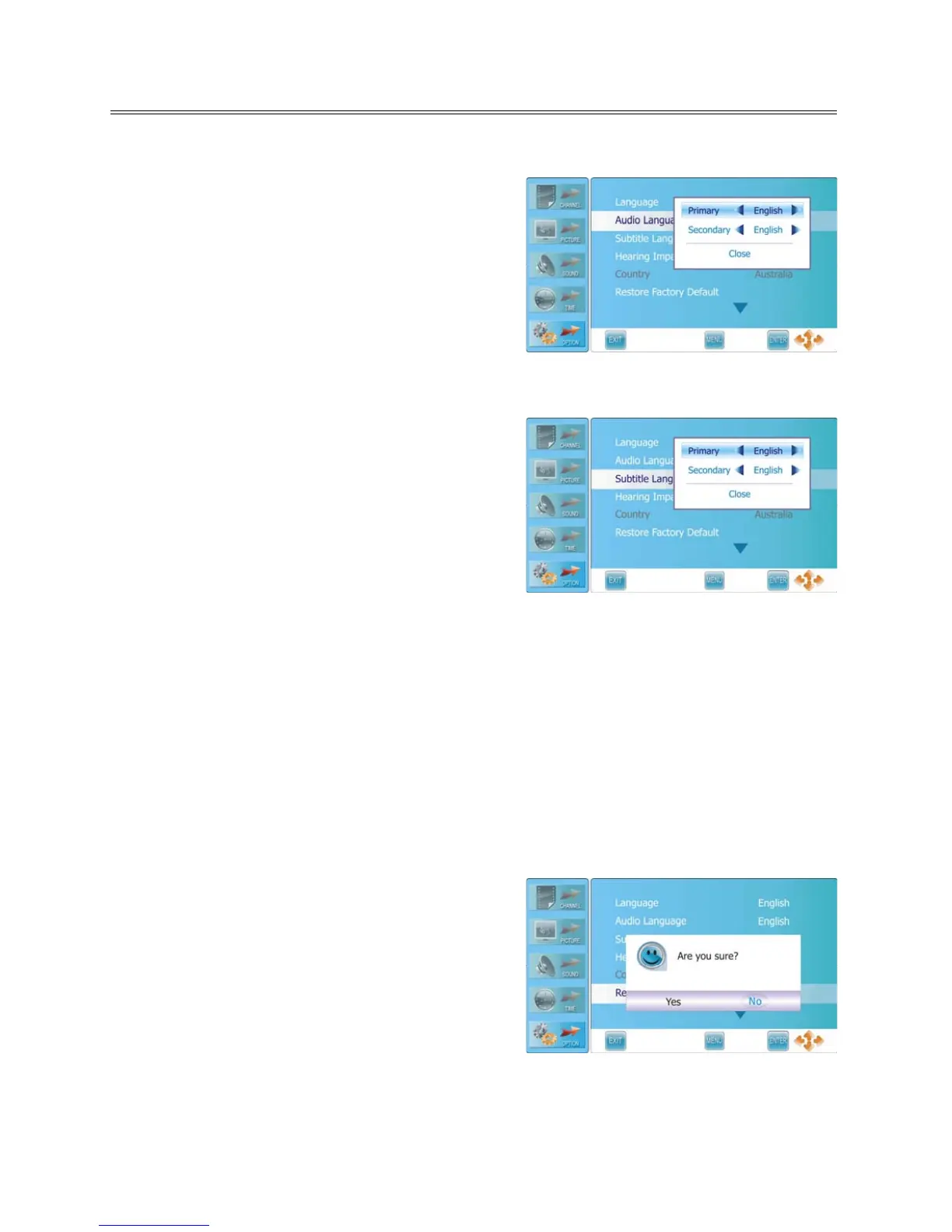
Press the ▲▼ button to select Audio Language and
press the ENTER or ► button to prompt a information
box, as shown:
Press the ▲▼ button to select Primary or Secondary,
press the ◄► button to select desired language.
Press the ENTER button to confirm before selecting
Close.
Note: this function is only available in DTV mode.
Subtitle Language
Press the ▲▼ button to select Subtitle Language and
press the ENTER or ► button to prompt a information
box, as shown:
Press the ▲▼ button to select Primary or Secondary,
press the ◄► button to select desired language.
Press the ENTER button to confirm after selecting Close.
Note: this function is only available in DTV mode.
Hearing Impair
For the people with poor hearing, some digital program is added with some extra subtitle. For example,
the subtitle describes the background sound using words and display it on the screen.
Press the ▲▼ button to select Hearing Impair and press the ◄► button to select On or Off.
Note: Not all the digital programs have this function.
Country
This item is used to shown the current country.
Restore Factory Default
Press the ▲▼ button to select Restore Factory Default
and press the ENTER or ► button to prompt a
confirmation information box, as shown:
Press the ◄► button to highlight Yes or No, press the
ENTER button to reset the settings to their default status
or cancel.
Note:
This operation will clear all channels and user
settings.



 To Next Page