36
DVR Function
Schedule Recording
Schedule record is a function which allows you to record future program. You can first set up a schedule
record, then unit will record the program when the program is broadcast. It will stop recording when the
program finish.
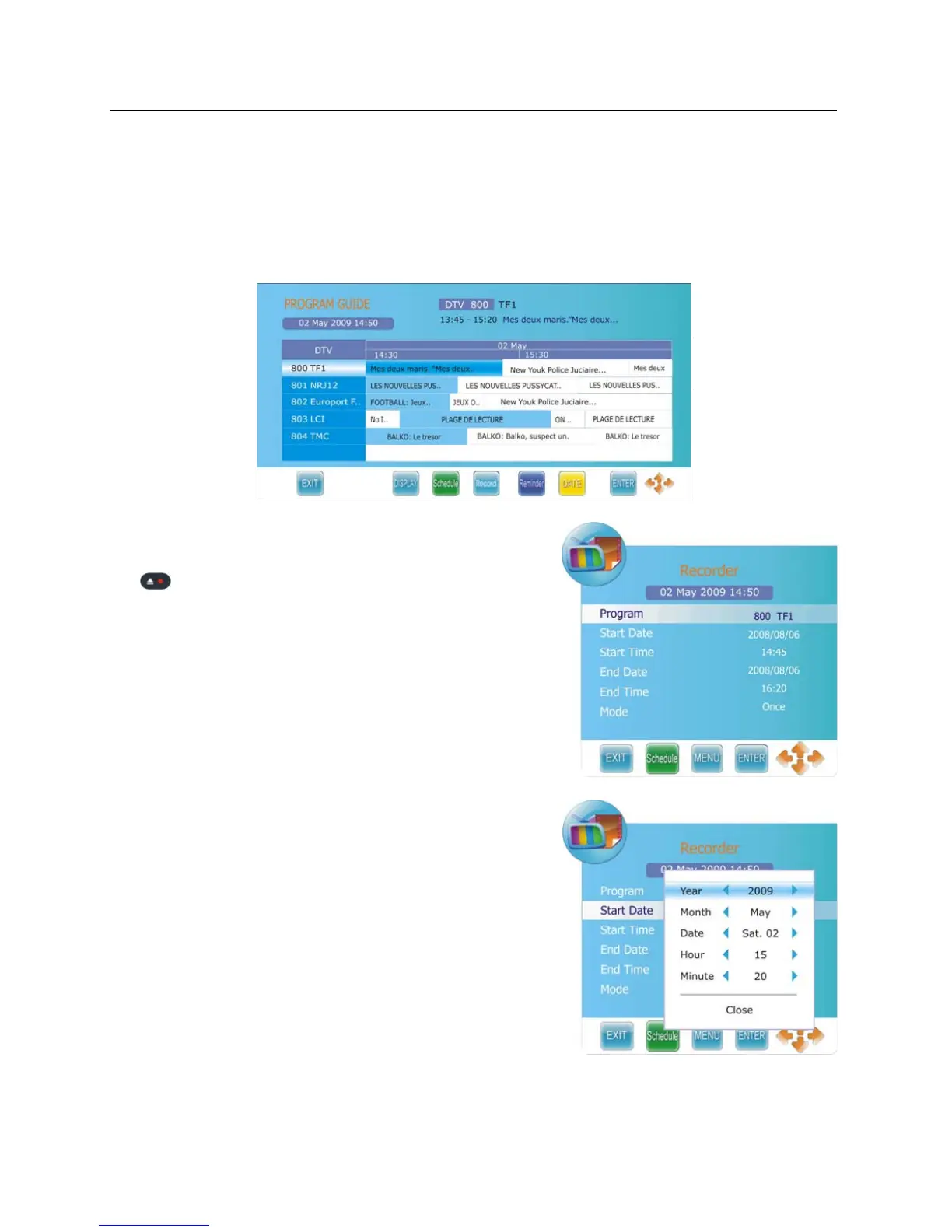
1. Press the GUIDE button to display Electronic Program Guide menu, as shown:
2. Select your desired TV program and press the RECORD
button to enter the Recorder menu, as shown:
3. From here you can modify the start and end date time of
your record schedule by using the ◄► direction button
once.
4. use the ▲▼ direction button to select date/time to
change.



 To Next Page