37
DVR Function
5. Use the ▲▼ button to select desired item and press the ENTER button to enter.
Program
Select a program.
Start Date
Set a date to start recording in the future.
The start date should be later than the current date.
Start Time
Set a time to start recording in the future.
The start time should be later than the current time.
End Date
Set a time to end recording in the future.
The end date should be later than the start date.
End Time
Set a time to end recording in the future.
The end time should be later than the start time.
Only one program can be recorded in the same period of time.
Mode
Choose either Once, Daily, Weekly.
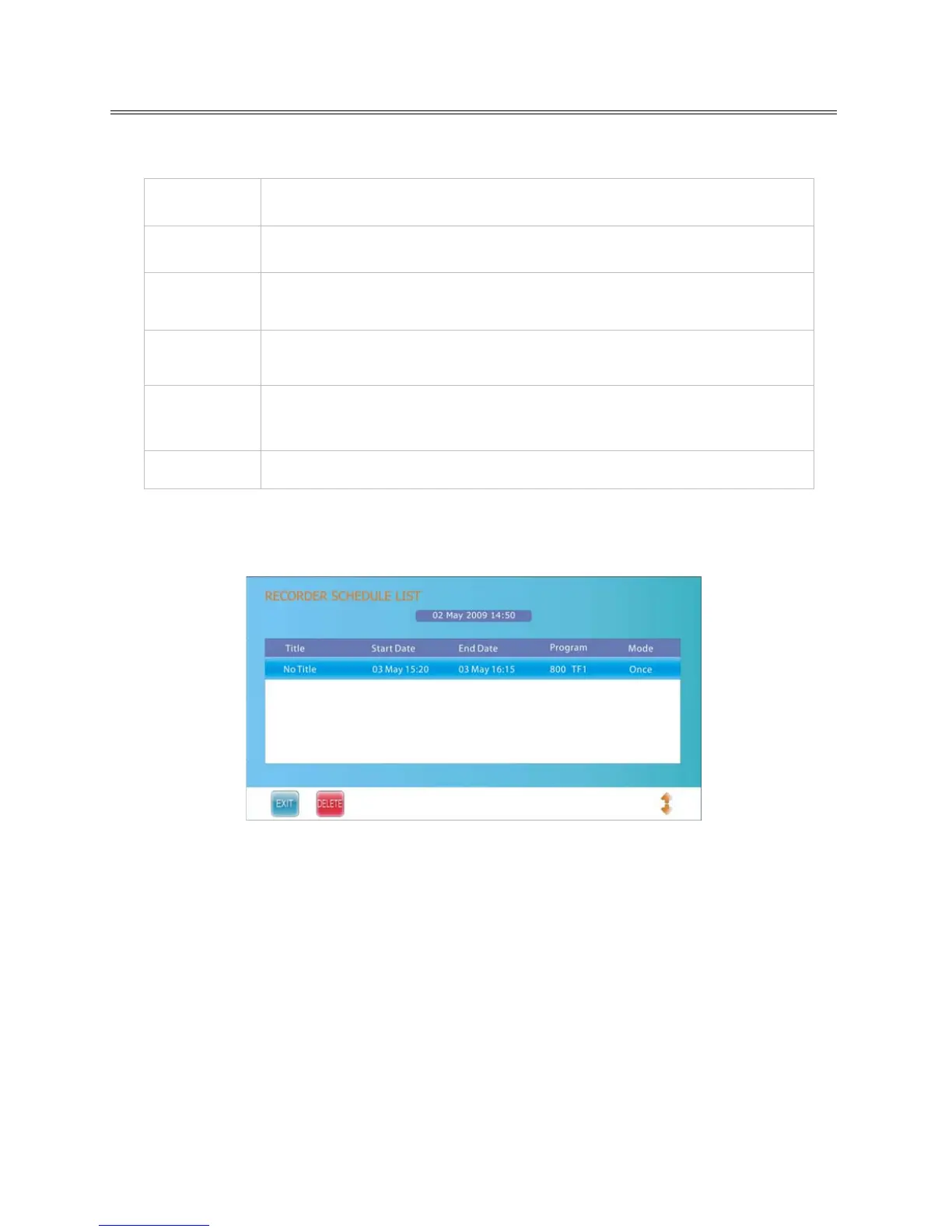
6. After setting, press the ENTER button to confirm and the Recorded Schedule List will display as
shown below.
The scheduled program will be recorded automatically at the time you set.
You can schedule more recordings and the scheduled programs will be listed in the Recorded
Schedule List.
While in Recorder menu, you can also press the green button to enter the Recorded Schedule
List.
7. Press the ▲▼ button to select desired title and press the red button to delete it.
8. Press the EXIT button to exit.
NOTE:
While TV is in standby mode, unit will start schedule record in standby mode. It will not output any
picture or sound. The power indicator will flash red and blue to indicate that there is a recording.
The recording will end automatically at the End Time you set.



 To Next Page