INSTRUCTION MANUAL
16
USB/SD/MMC INTERFACE
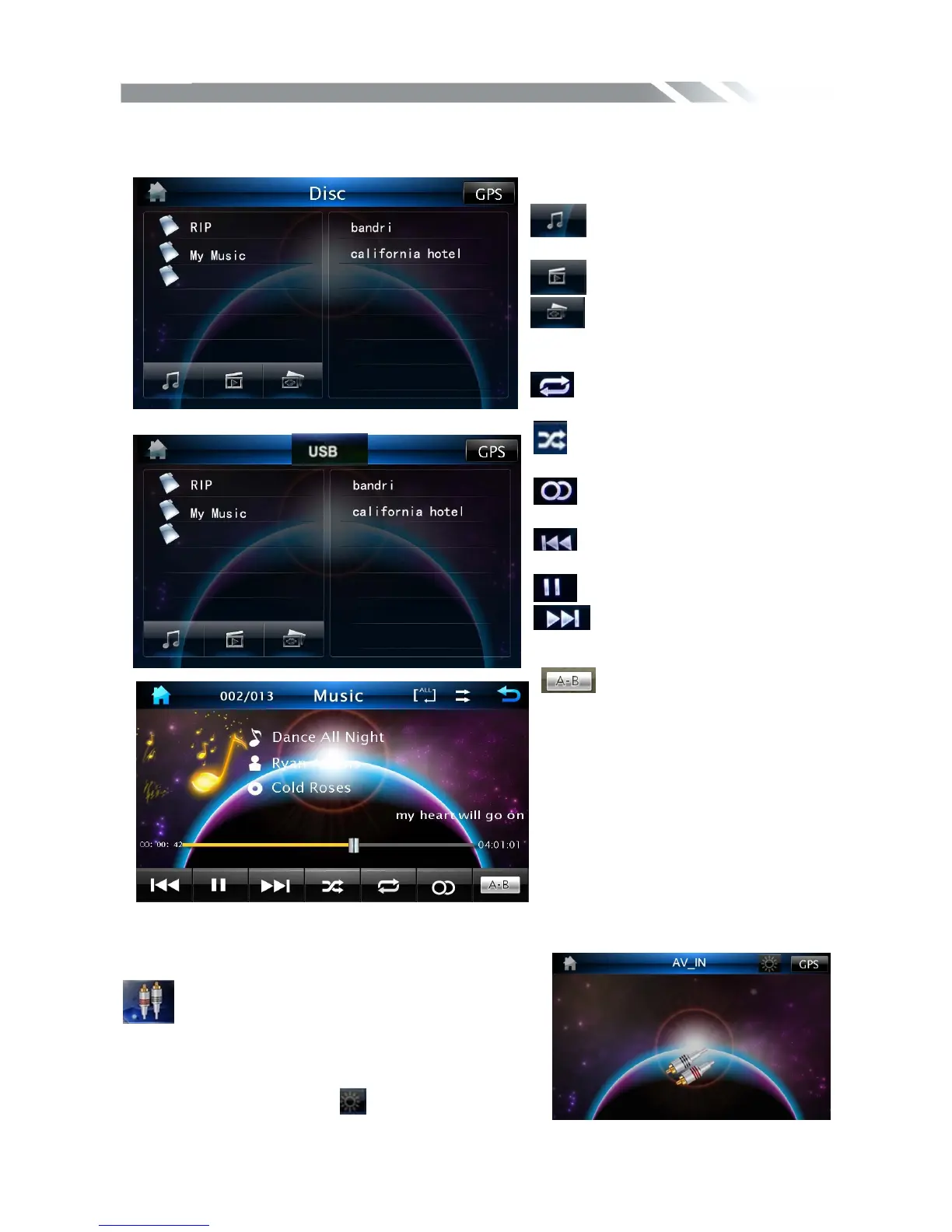
When a file disc, USB or a memory card is played, the screen will show following interface:
Touch it to select music files.
Touch it to select video files.
Touch it to select photo files.
.
Touch it to select: repeat
all=>repeat 1=> repeat off
Touch it to turn on / off random
playback.
Touch this icon to select right or
stereo or left sound reception.
Touch it to skip to the previous
track.
Touch it to play/pause
Touch it to skip to the next
track.
Touch it to select the section
from A to B for repeat.
◆
AV IN MODE
To start AV-IN Mode, tap AV-IN icon from main
menu screen. Connect the external audio/video signal
source to this unit. Select AV-IN mode in the main
menu or by pressing repeatedly Mode button on the
front panel Touch the icon
to adjust the picture
texture



 To Next Page