INSTRUCTION MANUAL
21
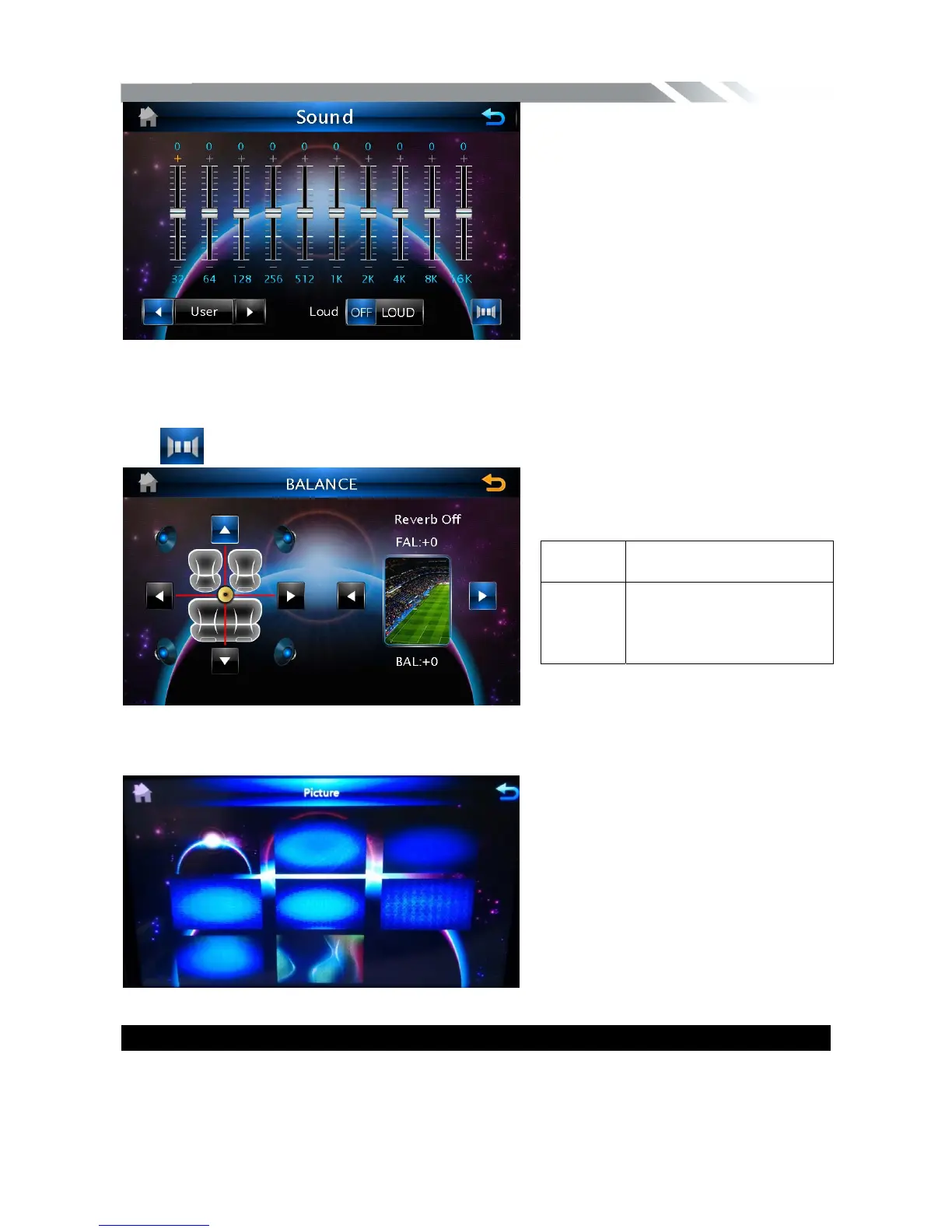
Tap icon to show BALANCE menu
Desktop CONTROL
Tap desktop icon to show desktop menu, then select the picture you desire as the wallpaper
OTHER FUNCTIONS
Subwoofer
Connect the subwoofer to the unit using sub output (see electrical diagram). Tap SETTING
icon on main menu to enter setting menu. Choose COMMON SETTING and set Mega Bass
BALANC
E
UP/DOWN/LEFT/RIGHT
Balance control
REVERB
ERATION
Set reverberation: original
sound, the scene, living
room, hall, caves,
bathroom, arena.



 To Next Page