INSTRUCTION MANUAL
18
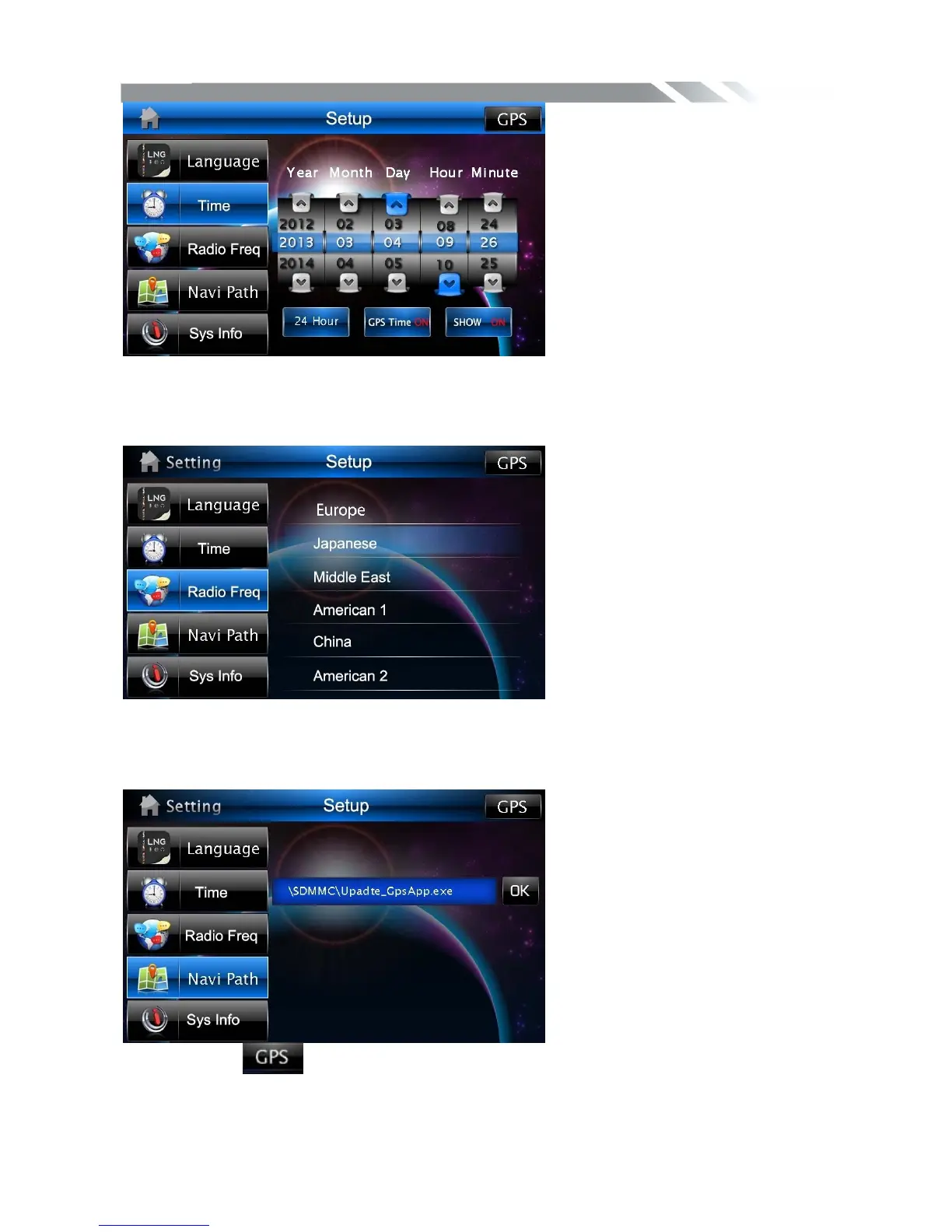
Radio Frequency CONTROL
Tap radio freq icon to show radio freq menu, then through touching the area name to select
different frequency region
Navi Path CONTROL
Tap NaviPath icon to show NaviPath menu, then set the navigation path.
Press the icon to enter into GPS mode, and we must exit the map to end the GPS
mode. Press the MENU button can just enter into the main menu cannot end the GPS.



 To Next Page