INSTRUCTION MANUAL
22
ON to enable subwoofer.
Parking
When the car is stopped and the parking brake is working, the screen can display the video
image, otherwise the screen can't display the video image
Back View Camera
This unit is equipped with back view camera output. The camera is used to observe the
situation behind the vehicle when you are backing the car.
Please connect your back view camera with the back car video input. And connect the
reverse wire for back a car with the rear gear light. Rear view camera picture will be
enabled when you are backing the car.
BLUETOOTH SECTION
Warning: Driving and having a Telephone conversation at the same time is dangerous,
please park your car before having a telephone conversation. The supplier waves any and
all liability when this warning is not followed.
To enter Bluetooth mode, you can tap Bluetooth icon on Main menu or press mode button
on remote or on front panel.
CONNECT WITH MOBILE PHONE DEVICE
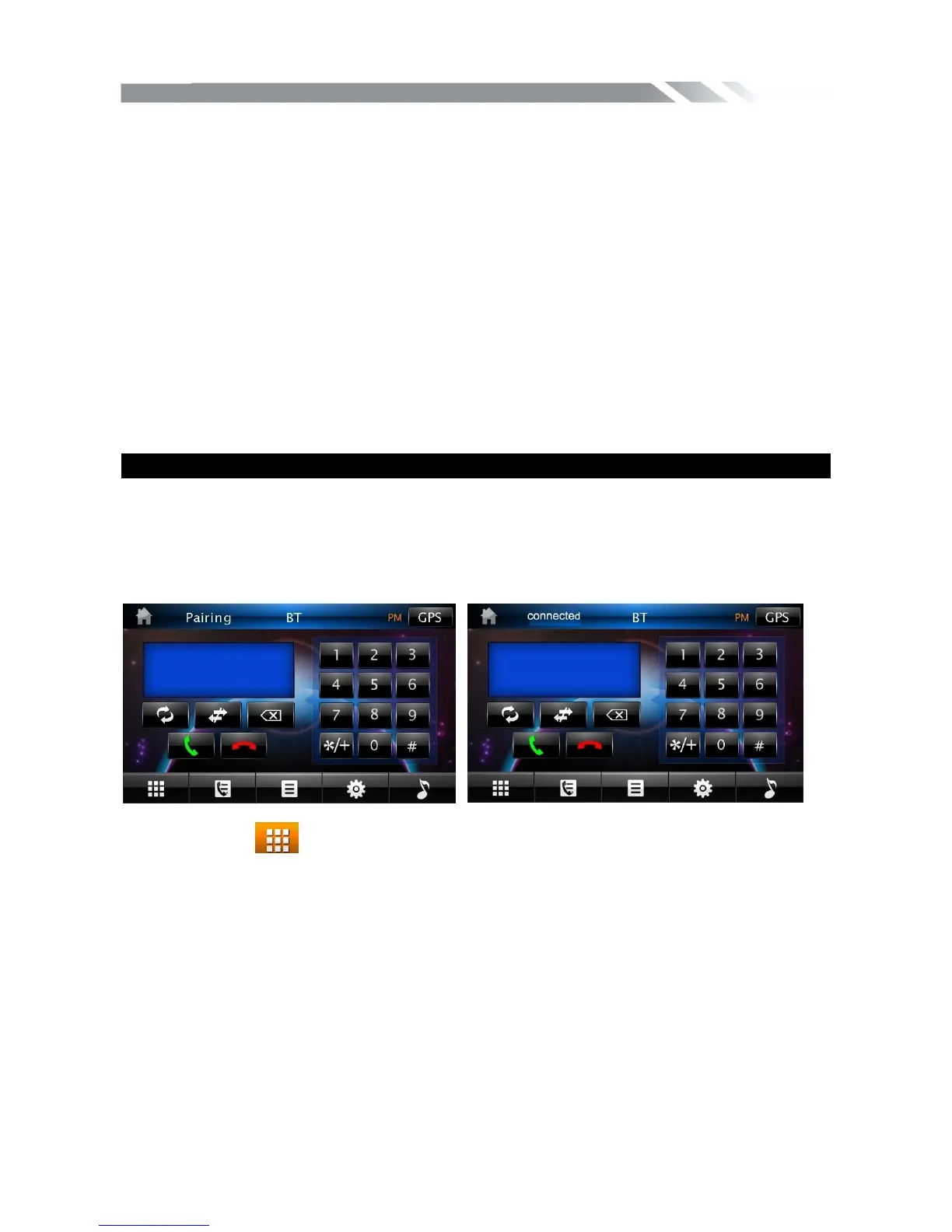
Bluetooth disconnect mode Bluetooth connect mode
1) Tap the icon
to turn to the interface as above, and open the BT function on the
mobile phone.
2) Tap the MATCH icon on the unit, select the new device(TEAC) on the phone after
searching for it, input PIN password”1234” on the phone and confirm, the phone and the
unit is connected.
Auto-connect & Disconnect
When power on the unit, the last paired phone will be remembered. Tap the CONNECT
icon on the unit, it will connect to the phone via Bluetooth automatically.
If you want to disconnect the Bluetooth connection, turn off the mobile phone Bluetooth
function or tap the DISCONNECT icon on the unit.
Edit
Tap the EDIT icon, you can set new name and pin code for the unit.
A user can make own choice by tap the icons.



 To Next Page