INSTRUCTION MANUAL
23
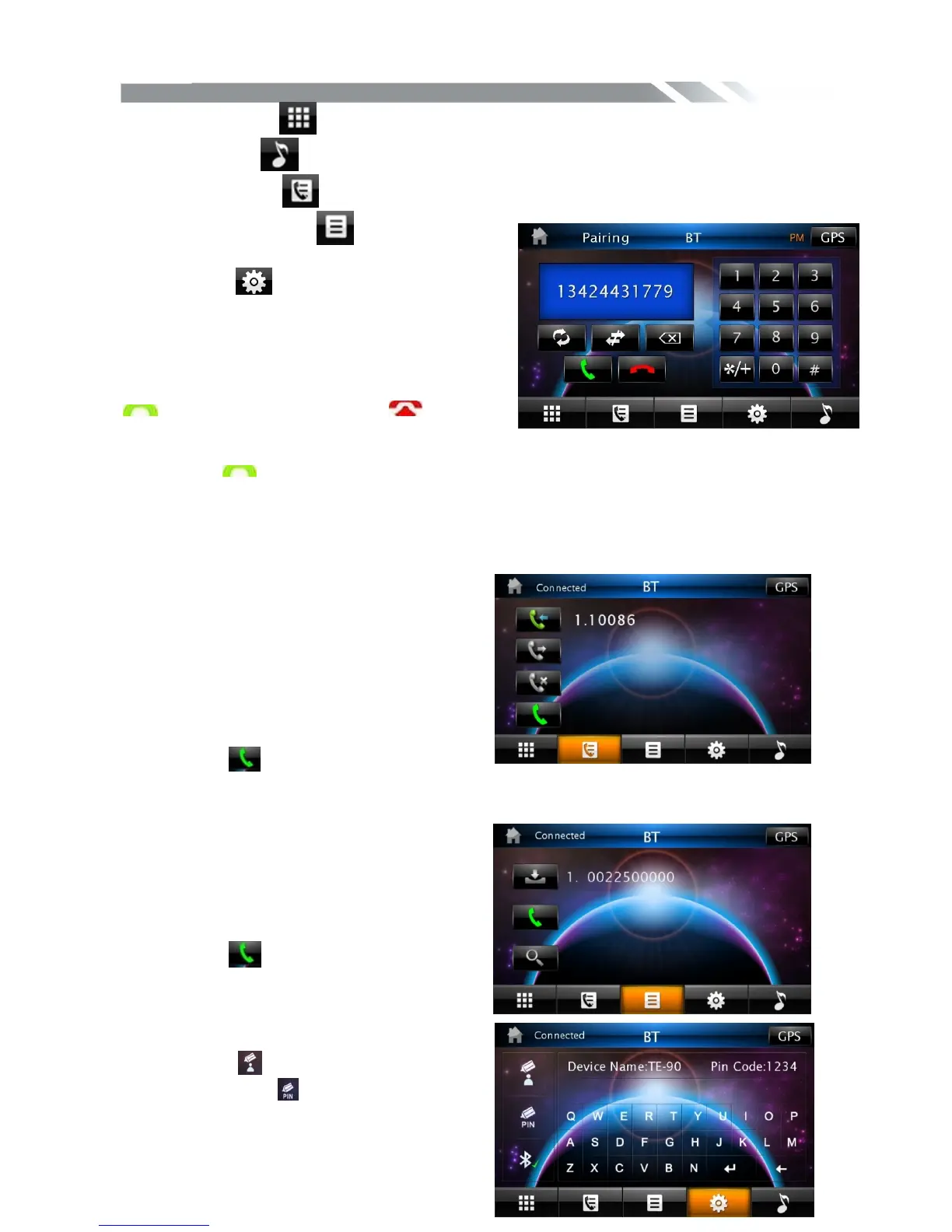
Tap CALLING icon to use phone functions.
Tap MUSIC icon to start BLUETOOTH music player.
Tap HISTORY icon to check dialed, received, missed calls.
Tap PHONEBOOK icon to use phone book
functions.
Tap EDIT icon to use edit functions
1. CALLING mode
In Call mode, the unit can be used as your phone.
Making and receiving calls are possible with
BLUETOOTH. Simply tap phone number and tap
icon to make a call, and tap icon to
hang up.
1) Tap CLEAR icon shortly to delete a wrong digit.
2) Tap the icon for 3-4 seconds, the device automatically makes a call to the latest
call in its call log.
Voice Transfer
During a call, you can change a call from Bluetooth mode to phone by tapping Transfer icon.
To have a call in Bluetooth mode again, tap Transfer icon again.
2. Call history mode
Tap HISTORY icon to see history mode.
The unit can download automatically all the
date from the mobile Phone.
Dialed /Received/Missed calls are saved In
History mode .
The calls in each category are orderly saved
from the latest one to the final one..
Tap the icon beside the phone number
you desired to make a calling.
3. BT PHONE BOOK
The unit can download the data from phone
automatically when the pairing between a
phone and the unit is completed.
The unit displays the data which have been
downloading from a phone.
Tap the icon beside the phone number
you desired to make a calling.
4. BT CONTROL
Touch the icon to edit the Device Name,
And touch the icon to edit the Pin Code.



 To Next Page