5 - Installation
Incubator Installation
MIO2 Operating Manual, 394934, en, V3.0 5 - 5
5.2.2 Multiple Incubators
Proceed as follows when installing multiple incubators:
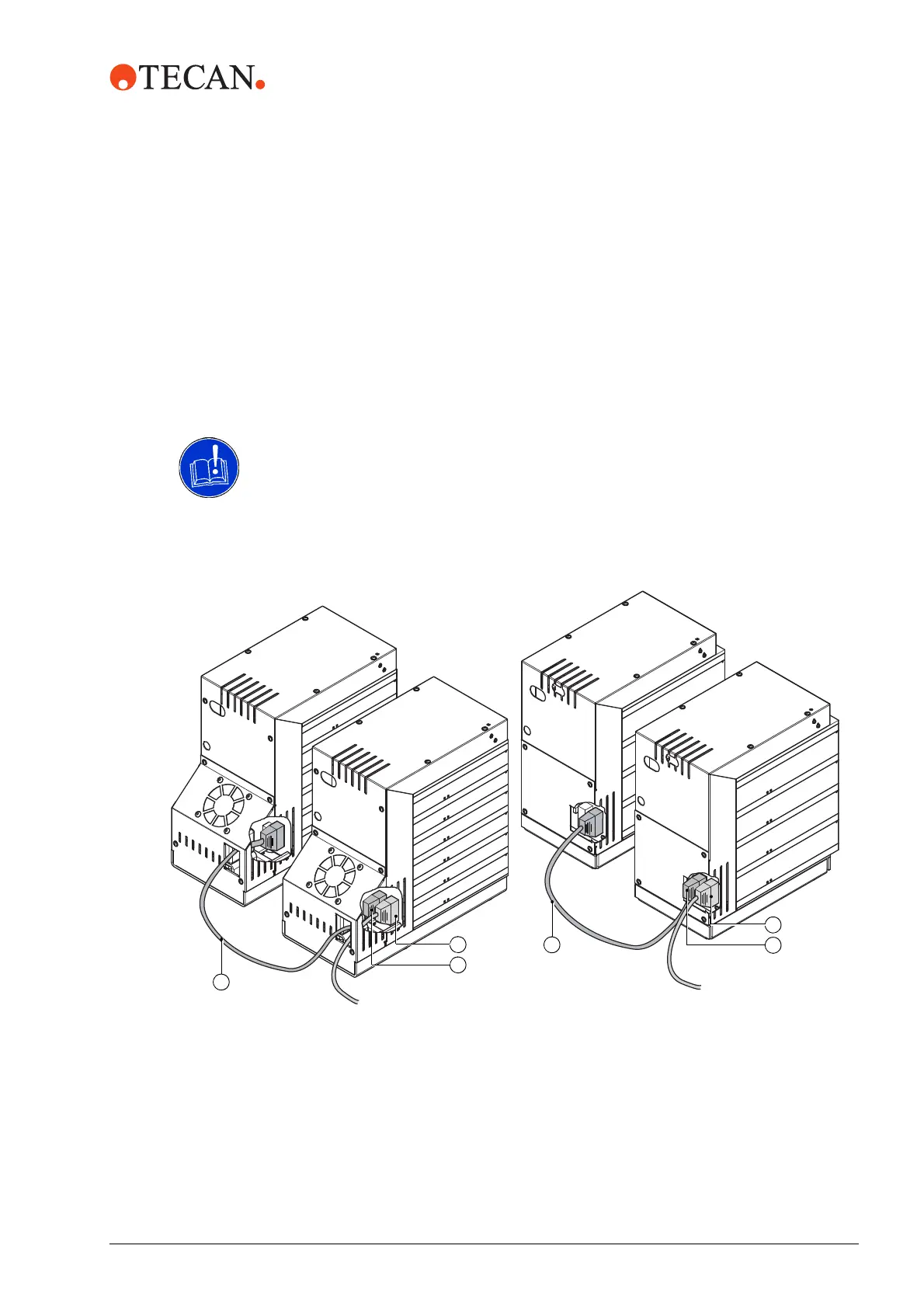
1 Connect the loop cable (C) to the next incubator as shown in Fig. 5-3, 5-5.
2 Perform the Setup procedure in the current limitation mode.
Refer to the Instrument Software Manual for further information.
3 Perform the setup procedure with the Instrument software.
ATTENTION
Risk of malfunctions. An incorrectly performed setup may lead to malfunctions or
damage of the incubator option.
Activate the current limitation mode with the Instrument Software.
Fig. 5-3 Multiple MIO2, D-Sub cable and Loop cable connected
6 Positions MIO2 4 Positions MIO2
A
B
C
A
B
C


 To Next Page