23
Pic-3.1-10
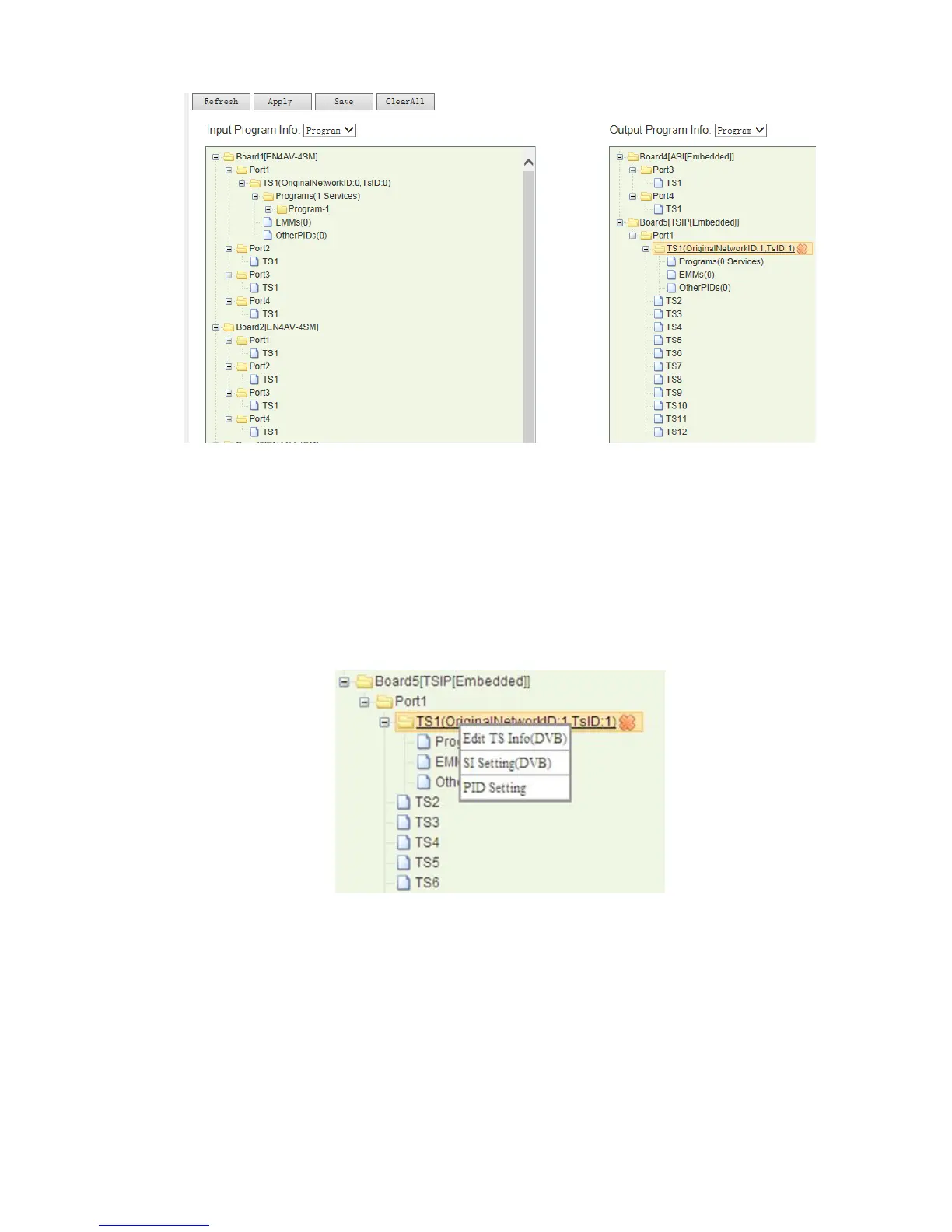
To delete the existing TS#, click on the TS# to highlight it, a “X” mark will appear
besides the TS#, click on the X mark, the TS will be deleted.
To change the “Original Network ID” and “TS ID”, right click on the TS (channel) name,
Then select Edit TS Info (DVB), the TS information will become editable.
Pic-3.1-11
Note: When you right-click TS#, you’ll see “SI Setting (DVB) and PID Setting” option. The
SI Setting option allows operator editing the NIT, SDT, BAT and inserting LCN and
private descriptors. The PID Setting allows operators to change the service related
PID values. (Will be introduced in other chapters)



 To Next Page