24
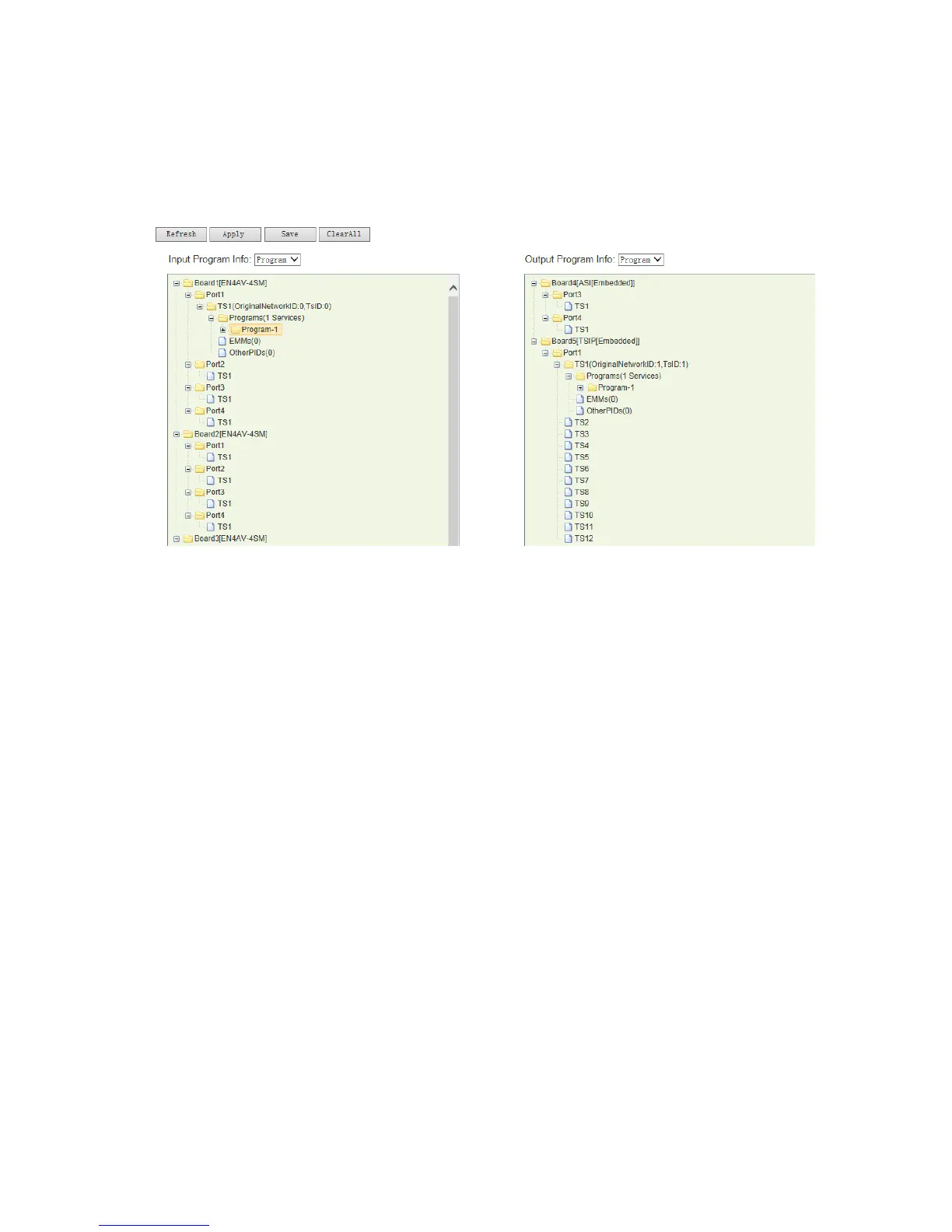
Select a program to be transmitted out on the left hand side “Input Program Info”
window, click on left button of the mouse and keep it being pressed, then drag the
program to the program port under the TS you just created in “Output Program Info”
window, then the program will be transferred there.
Pic-3.1-12
Follow the same operation steps, user can set the selected input stream to be
transmitted at any assigned output TS (channel). After the program/ ts has been
transferred as you desired, click “Apply” to allow the configuration take effect.
you can click “Clear All” to delete all of the existing service configuration.
③ PID edit:
Customer can edit the program / stream ID / PID: Select a TS in output program Info window,
and right click on it, select “Edit TS Info”. Customer can edit the Network ID, TS ID, Service
Name, Provider Name, Service ID, PMT PID, PCR PID and Service Type.



 To Next Page