72
Setting
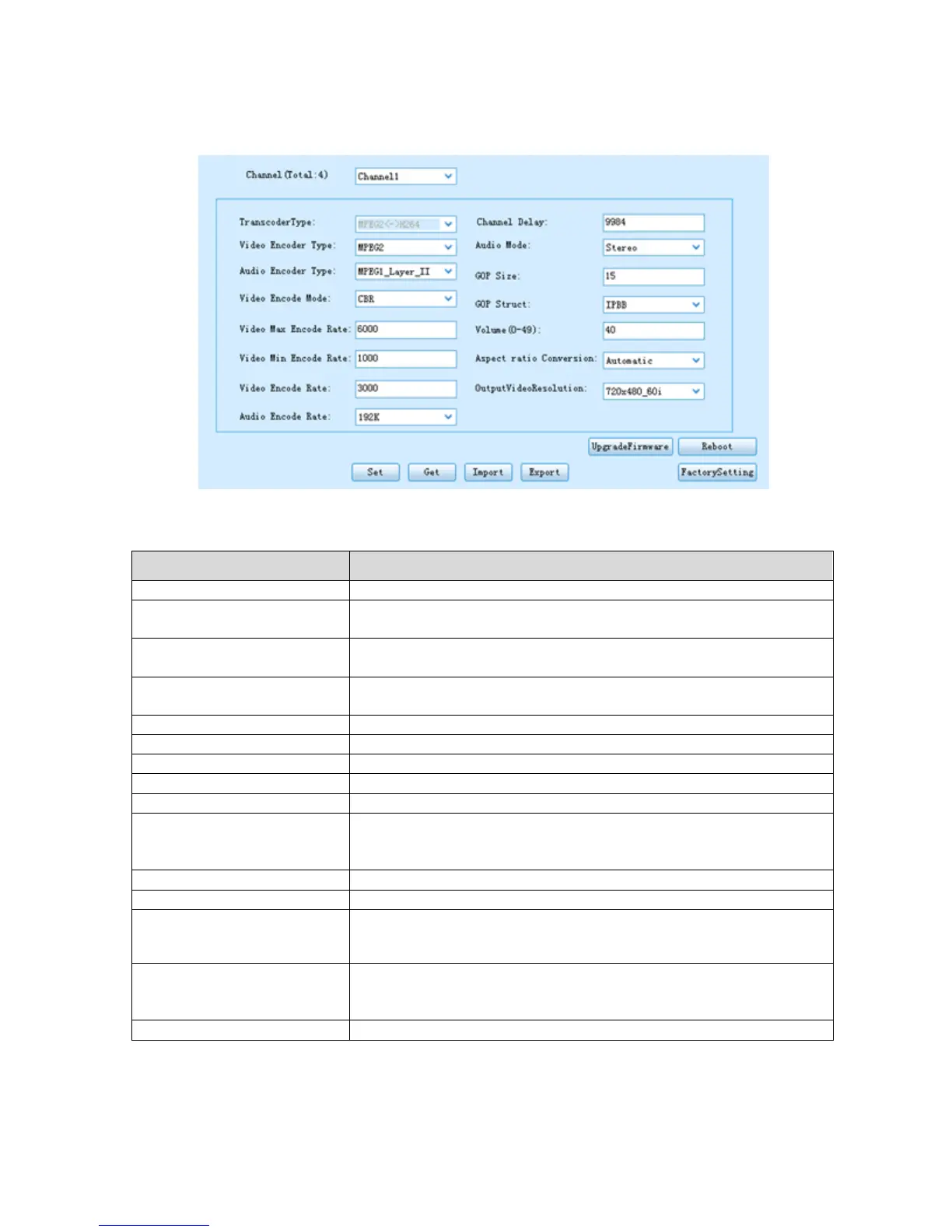
Pic-3.1-69
Indicates which channel the following configuration is on
To select the video encoding format,
Available options include: MPEG-2 and H.264
To select the audio encoding format,
available options include: MPEG-1 Layer II and AAC
Select encoding mode,
available options include: CBR and VBR
To set the upper limit of encode rate for VBR mode.
To set the bottom limit of encode rate for VBR mode.
To set the encode rate for CBR mode.
To choose the encoding bitrate for the audio.
To set the channel delay time
To select the audio mode,
Available options include: Stereo, Joint Stereo,Dual Channel,
Single Channel
To set the audio volume,
Available range is: 0~49
To set the aspect ratio of the picture.
Available options include: Automatic, 4:3 letterbox, 4:3 Pan and
Scan, 16:9 Letterbox, 16:9 Pan and Scan.
To set the output video resolution
After setting all the parameters, you should press ‘Apply’ button to save the settings.



 To Next Page