74
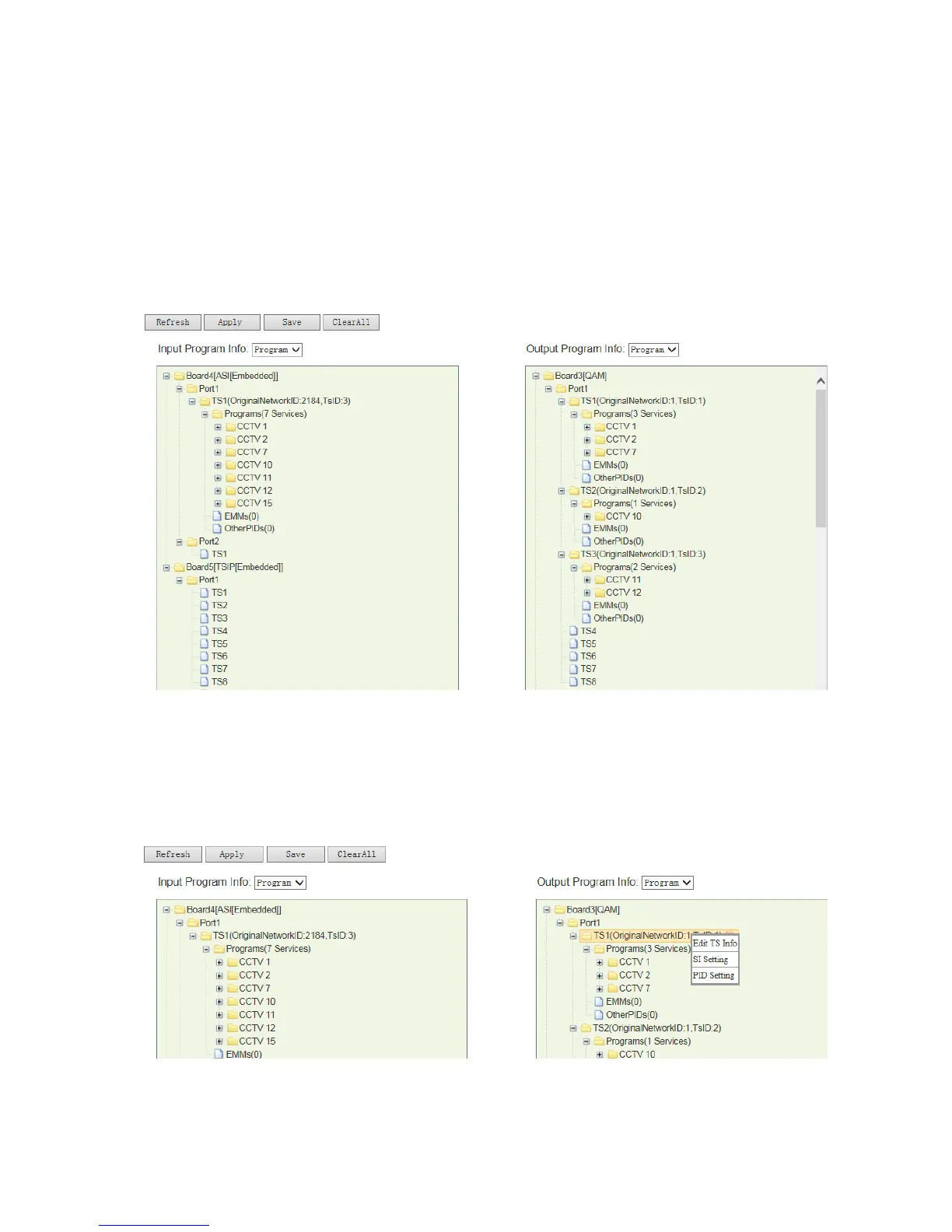
2. Switch to “Service Configuration” tab to configure the output channels at each QAM
channel. Here we output total 6 programs at 3 TS channels:
CCTV-1, CCTV-2 and CCTV-7 at TS1;
CCTV-10 at TS2;
CCTV-11, CCTV-12 at TS3
Pic-3.1-71
3. Select a TS channel, right click on it and select “SI setting” to enter the “PSI/SI” menu.
Below example will show you the procedure starting from TS1.
Pic-3.1-72



 To Next Page