75
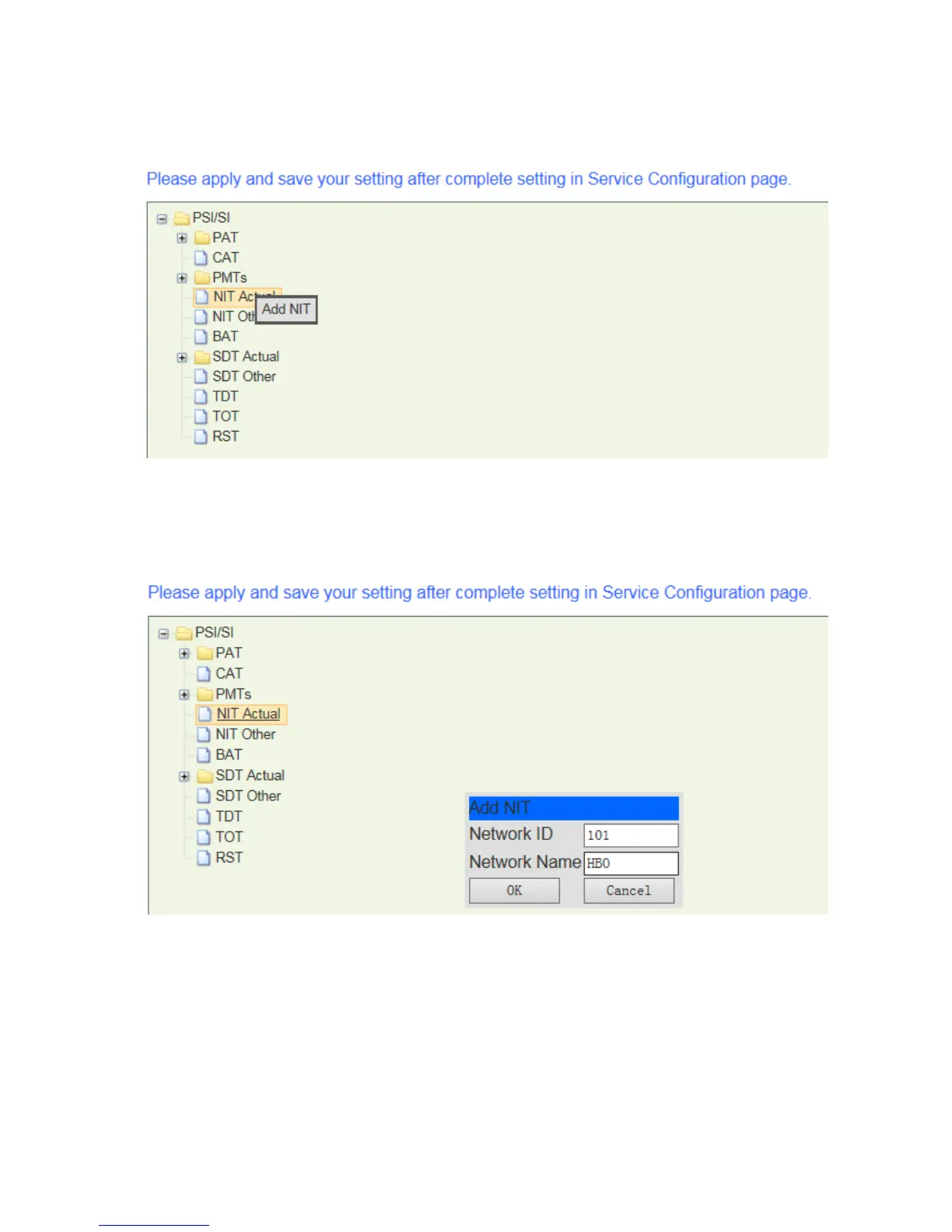
4. The PSI/SI menu is showing as below, select “NIT Actual”, and right click on it and select
“Add NIT”.
Pic-3.1-73
5. In the pop-up window, enter proper “Network ID” and “Network Name” and click “Ok” to
continue,
Pic-3.1-74
6. Click + to expand the NIT Actual table, and find the new added NIT table, select the
“transport_stream” item and right click on it to select “Add NIT TS”.



 To Next Page