19 Technetix Group Limited Rev.1.0.1_0217
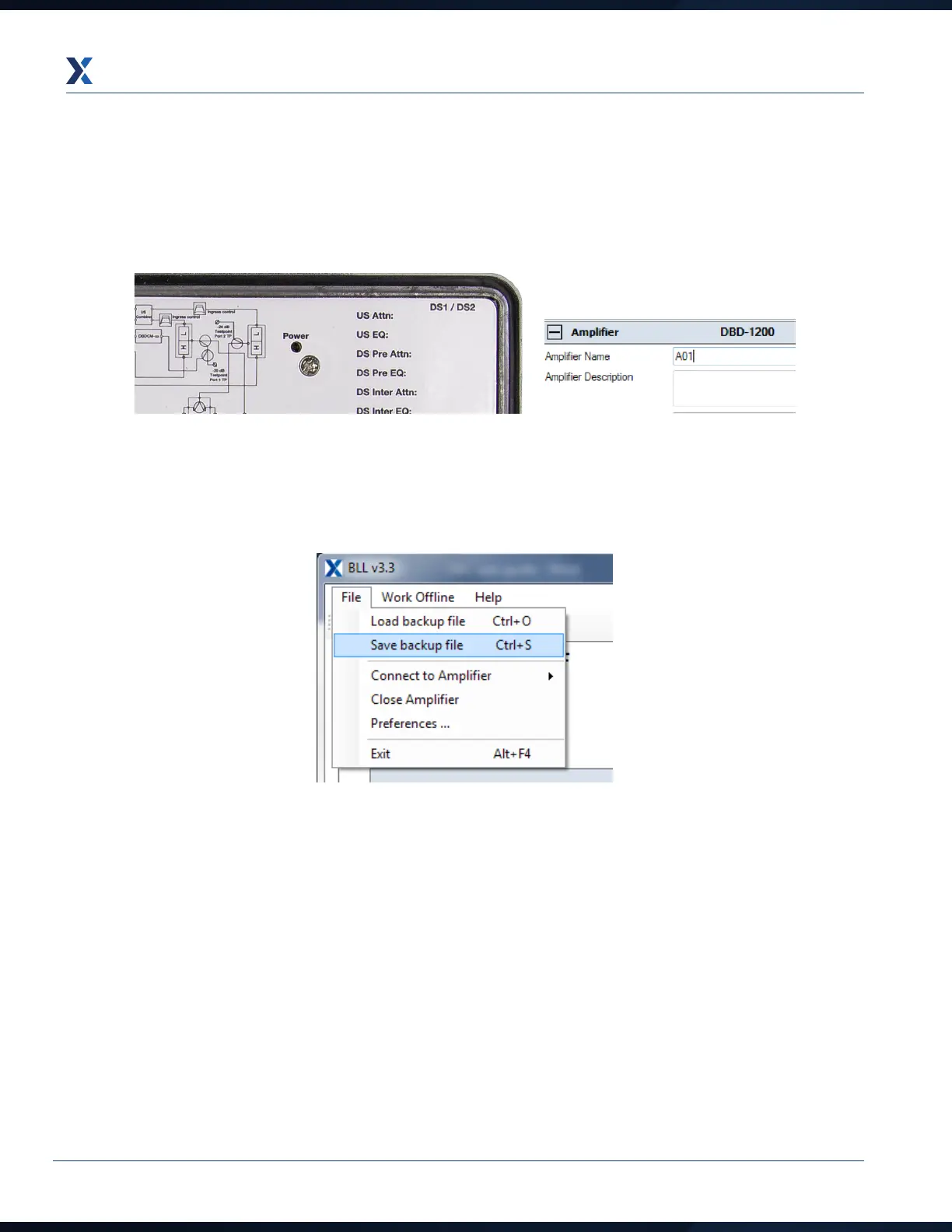
6. Once the amplifier downstream/forward is commissioned, the software values can be recorded on the PSU lid
label using a fine tip permanent marker pen. They can also be saved electronically.
To save the amplifier settings electronically, enter the amplifier ID number into the Amplifier name field as shown
on the right.
Next, click on the File tab and then click on Save backup file. File name will be amplifier name as in the screen shot
above and the date at time of saving.


 To Next Page