EasyManua.ls Logo

Technics SC-CH730 - Switch on the Power

Technics SC-CH730
52 pages
Print Icon
To Next Page IconTo Next Page
To Previous Page IconTo Previous Page
Loading...
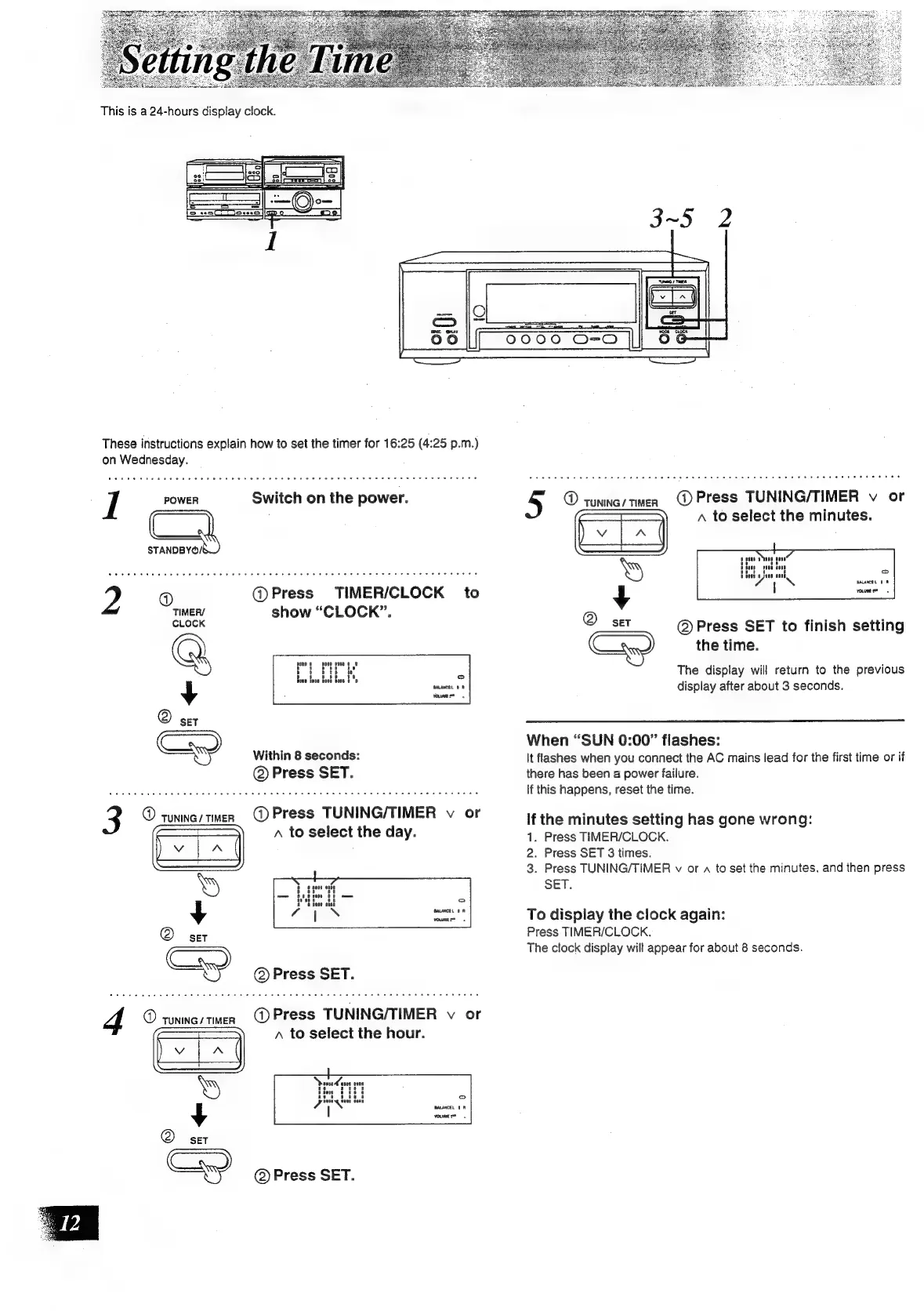
These
instructions
explain
how
to
set
the
timer
for
16:25
(4:25
p.m.)
on
Wednesday.
I
POWER
Switch
on
the
power.
C1,
2
@
@Press
TIMER/CLOCK
to
TIMERY
show
“CLOCK”.
CLOCK
i
Within
8
seconds:
@
Press
SET.
@
TUNING
/
TIMER
@)
Press
TUNING/TIMER
v
or
A
to
select
the
day.
@
yiniey
men
GQ
Press
TUNING/TIMER
v
or
A
to
select
the
hour.
@
SET
Cand)
@)
Press
SET.
@
TUNING
/
TIMER
@
Press
TUNING/TIMER
v
or
A
to
select
the
minutes.
@
Press
SET
to
finish
setting
the
time.
The
display
will
return
to
the
previous
display
after
about
3
seconds.
When
“SUN
0:00”
flashes:
It
flashes
when
you
connect
the
AC
mains
lead
for
the
first
time
or
if
there
has
been
a
power
failure.
If
this
happens,
reset
the
time.
If
the
minutes
setting
has
gone
wrong:
1.
Press
TIMER/CLOCK.
2.
Press
SET
3
times.
3.
Press
TUNING/TIMER
v
or
a
to
set
the
minutes,
and
then
press
SET.
To
display
the
clock
again:
Press
TIMER/CLOCK.
The
clock
display
will
appear
for
about
8
seconds.

Related product manuals